


Add admin as SharePoint site member
To ensure a successful migration of SharePoint sites in EdbMails, it is essential for the admin to have the necessary permissions to access each site. In other words, the admin must be a member of each site on both the source and target servers. The following steps describe how to set an admin user as a member of a SharePoint site.
Steps to add admin as a member of a SharePoint Site
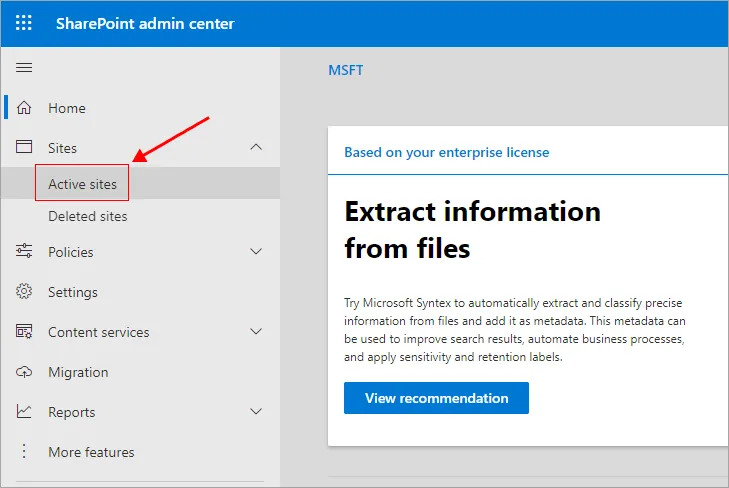
- Login to SharePoint admin center
- Navigate to ‘Active sites’ on the left pane
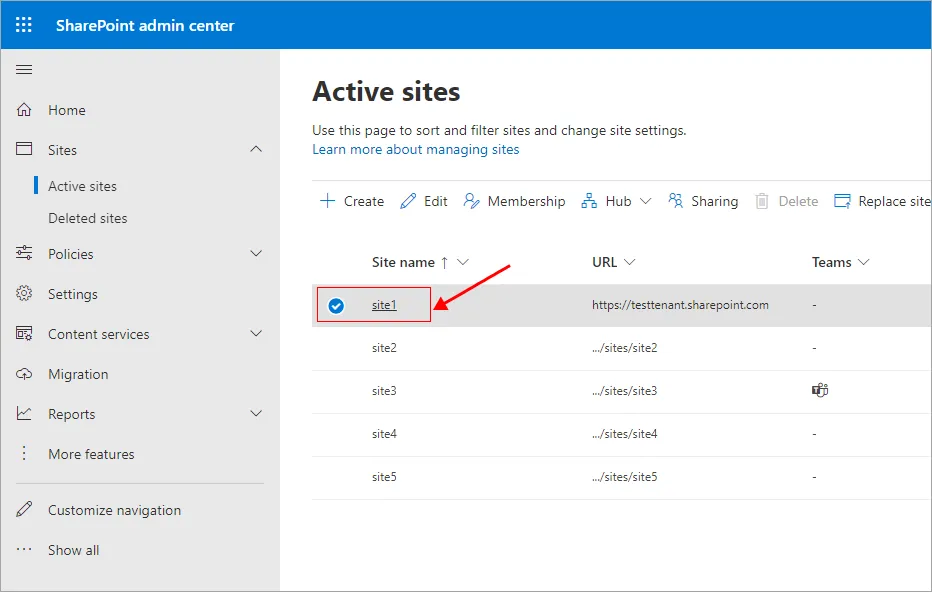
- Select the site you want to set admin as member
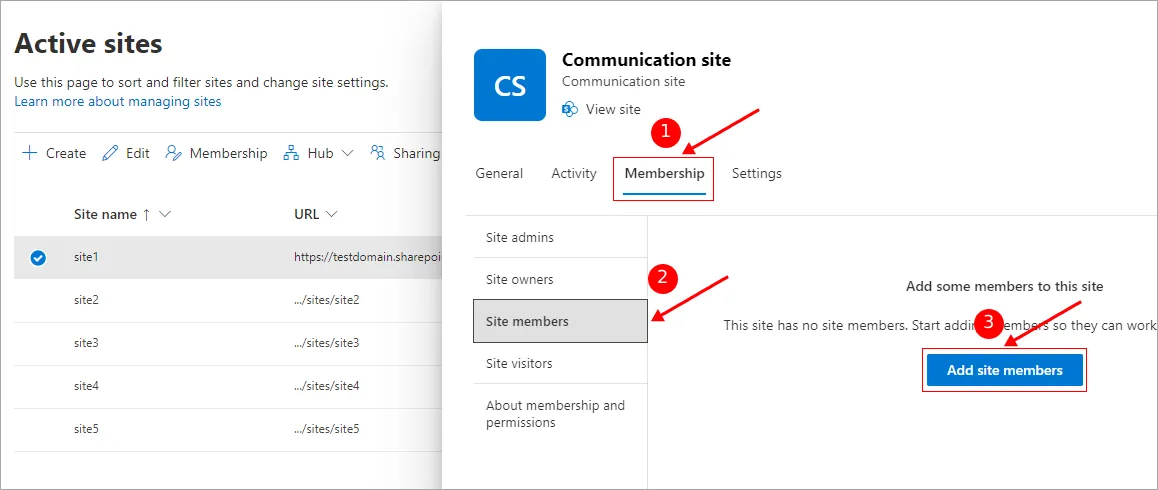
- Navigate to ‘Membership’ > ‘Site member’ tabs and then click the ‘Add site members’ button.
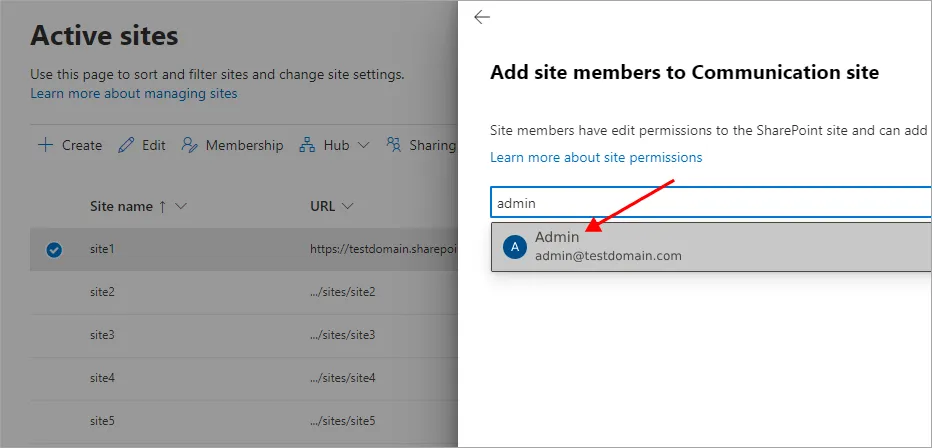
- Select the admin as site member
- Click the ‘Add’ button
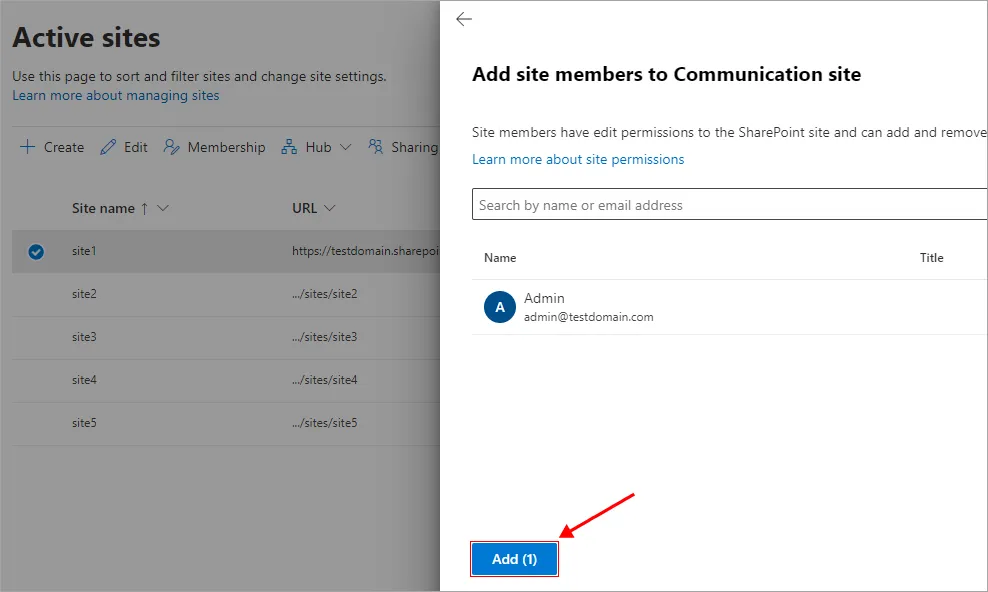
Repeat the same procedure to add admin as a member for other sites you intend to migrate on both the source and target servers.
Click here for the steps to migrate SharePoint sites using EdbMails.

