


Create a site in SharePoint
SharePoint is a flexible and user-friendly web platform that works with Microsoft Office for easy file sharing and storage. Before commencing the migration of SharePoint site data with EdbMails, it's essential to create the required sites on the target server. The following section describes the step-by-step procedure for creating SharePoint sites on the target server.
Steps to create a SharePoint site:
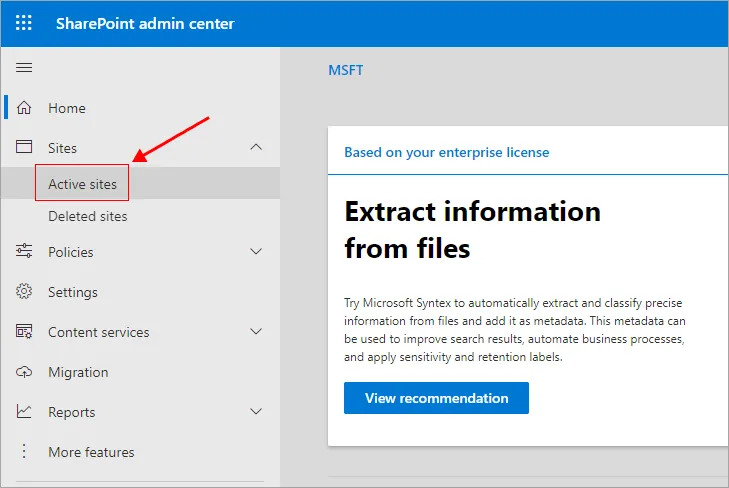
- Login to SharePoint admin center
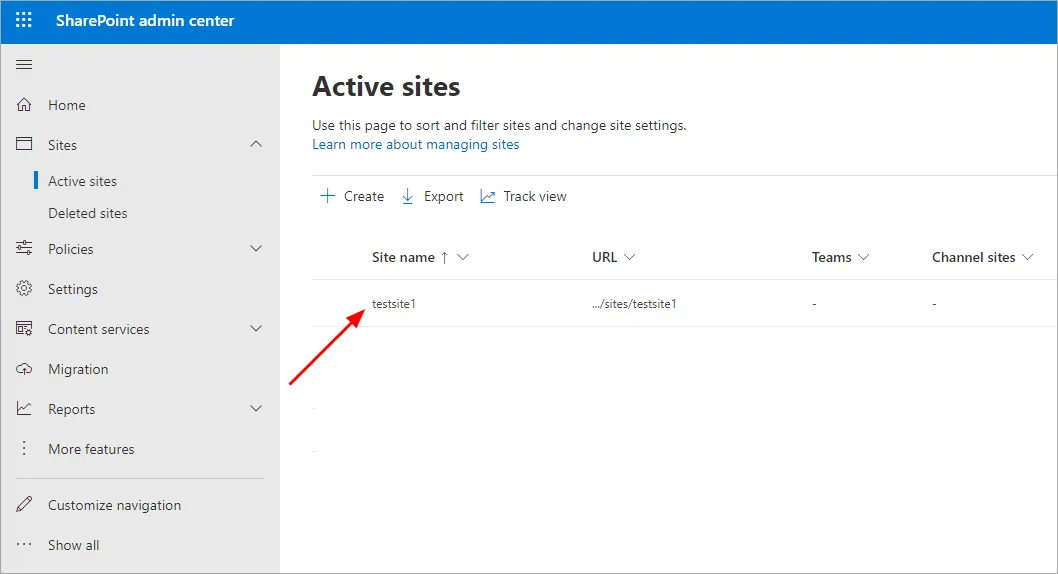
- Navigate to ‘Active sites’ tab on the left pane
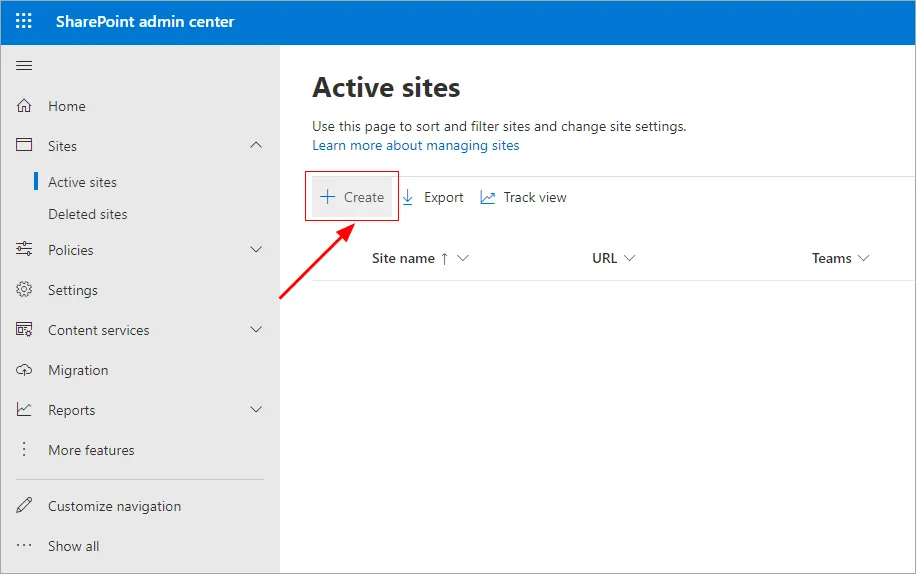
- Click the ‘Create site’ button.
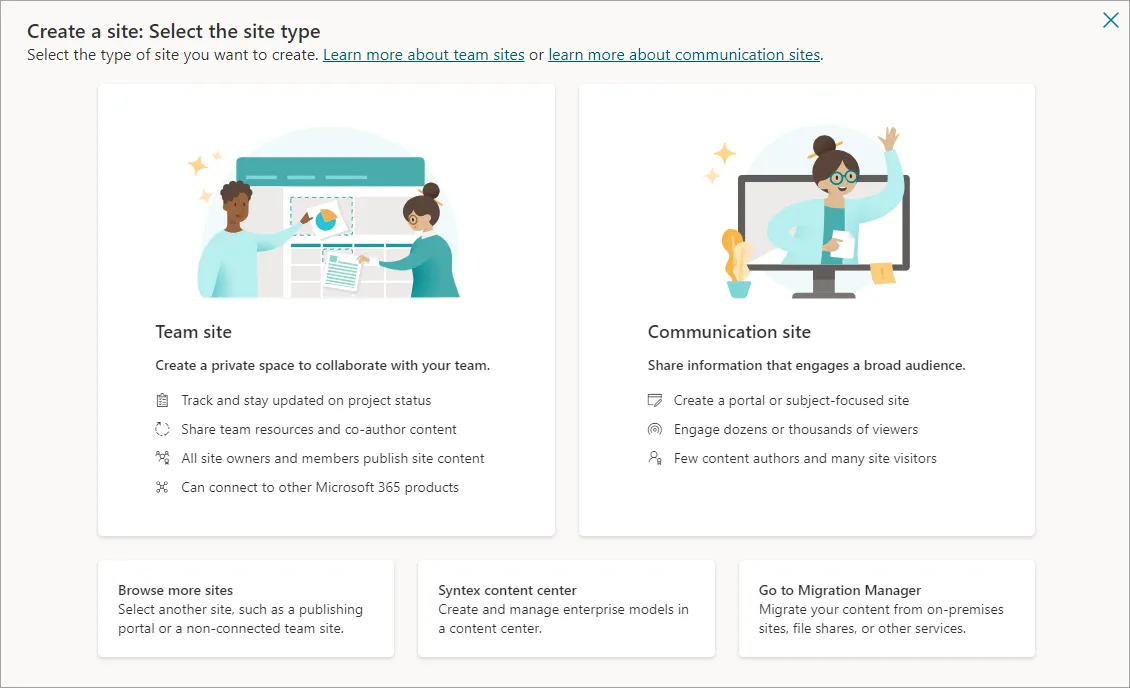
- Specify the site type by selecting either 'Team Site' or 'Communication site’
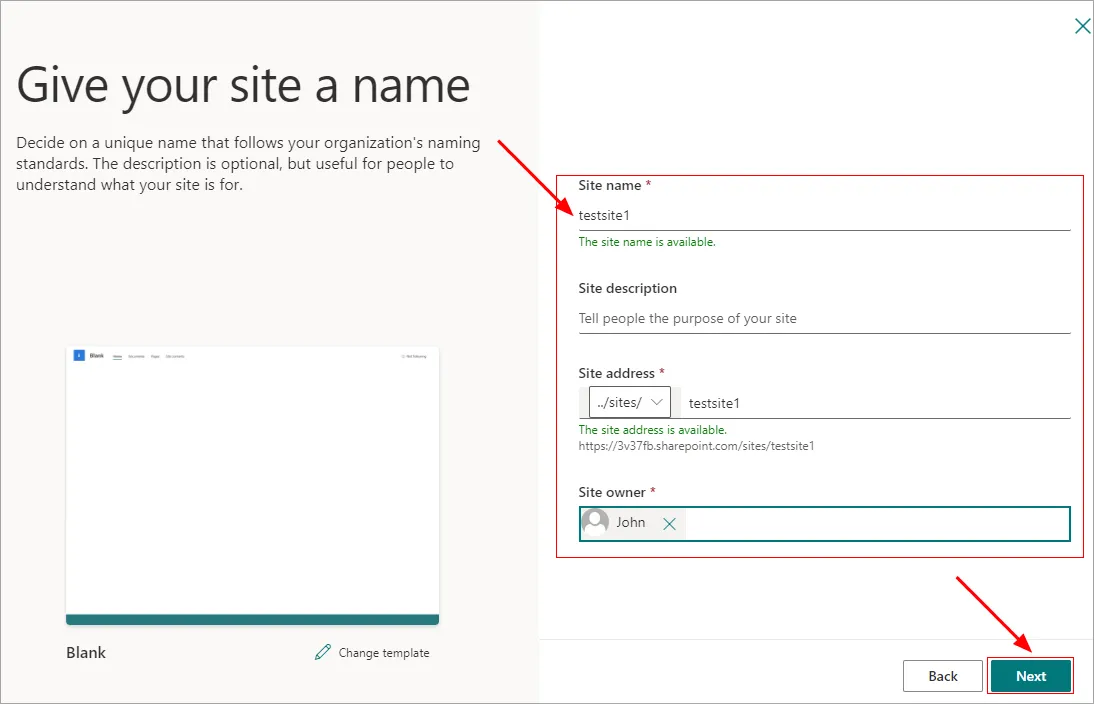
- Specify the ‘site name’, ‘site description’ (Optional) and select the ‘site owner’. Click the ‘Next’ button.
- Click the ‘Create site’ button
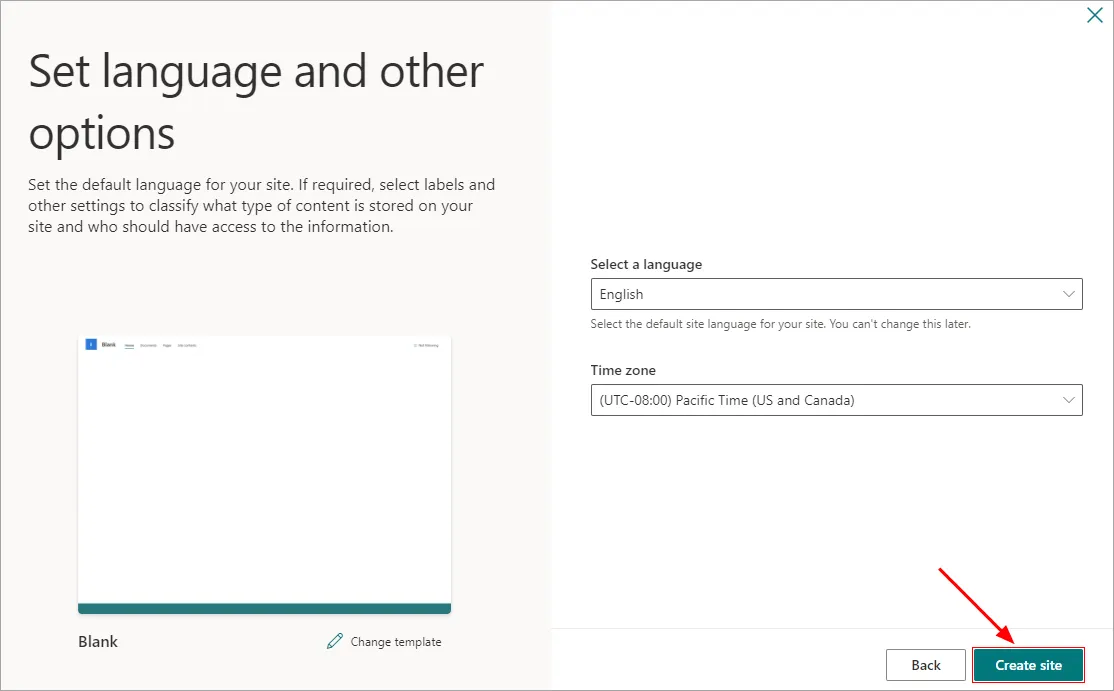
- A new SharePoint site ready to use. If you pick a team site, it sets up a Microsoft 365 group too.
Click here to know the steps to add members to SharePoint site.
Click here to know the steps to perform SharePoint online migration using EdbMails.

