

Hard Drive Data Recovery Software
EdbMails Hard Drive Data Recovery Software for Windows helps recover deleted and permanently deleted files from internal and external storage devices. It supports reliable data recovery for common logical data loss scenarios such as accidental deletion, files removed using Shift + Delete, or data cleared from the Recycle Bin. In many cases, permanently deleted files may still remain on the disk until they are overwritten, allowing the software to identify and restore recoverable data through a detailed scanning process.
The software functions as a secure Data Recovery Software that scans storage media in read-only mode, ensuring that the original hard disk, SSD, USB drive, or SD card is not modified during the recovery process. It supports HDD data recovery, SSD data recovery, and deleted file recovery across multiple file systems and Windows environments, making it suitable for IT administrators, businesses, and individual users.
This user manual provides detailed guidance on supported recovery scenarios, storage compatibility, system requirements, and step-by-step instructions to perform safe and controlled recovery of data from hard disk operations using EdbMails.
Why Choose EdbMails Hard Drive Data Recovery Software
- View Recoverable Items Before Restoration
EdbMails allows users to view the recoverable items detected during the scanning process before starting the recovery operation. This helps users verify the available files and confirm that the required data is present. By reviewing the listed items in advance, users can proceed with the recovery process in a more controlled and confident manner.
- Selective File and Folder Recovery
Instead of restoring the entire drive, EdbMails enables selective recovery. Users can retrieve only the required data, which improves efficiency and reduces unnecessary storage usage.
- Select individual files for recovery
- Restore specific folders
- Apply filters to narrow search results
- Exclude unwanted data from restoration
- Advanced File Type Filtering
EdbMails provides category-based filtering to help users quickly locate required files from large scan results. Recoverable data can be grouped by file type, making the hard drive data recovery process faster and more organized.
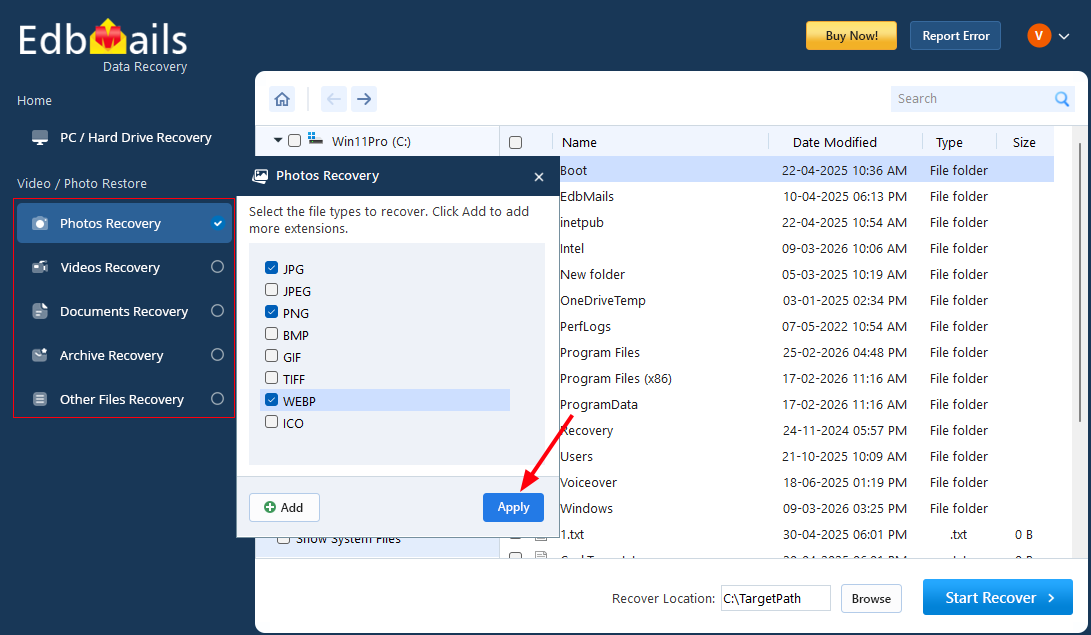
- Photos: JPG, PNG, BMP, GIF, TIFF, WEBP, ICO
- Videos: MP4, AVI, MKV, MOV, WMV, FLV, WEBM
- Documents: PDF, DOC/DOCX, XLS/XLSX, PPT/PPTX, TXT
- Archives: ZIP, RAR, 7Z, TAR, GZ, BZ2, XZ
- System Files: EXE, DLL, SYS, MSI
- Other Files: MP3, HTML, JSON, XML, CMD, ISO, IMG
- View Recoverable Items Before Restoration
Steps to Recover Deleted Files on Windows
Follow the steps below to safely recover your deleted files using EdbMails.
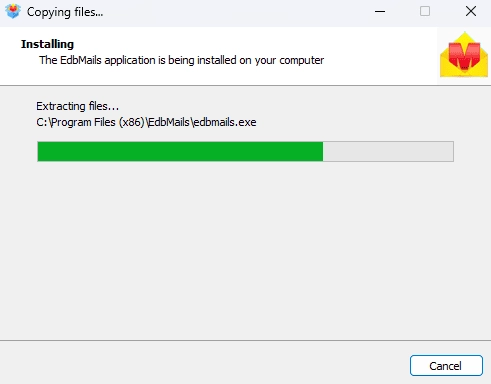
- Download and install the EdbMails application on your computer.
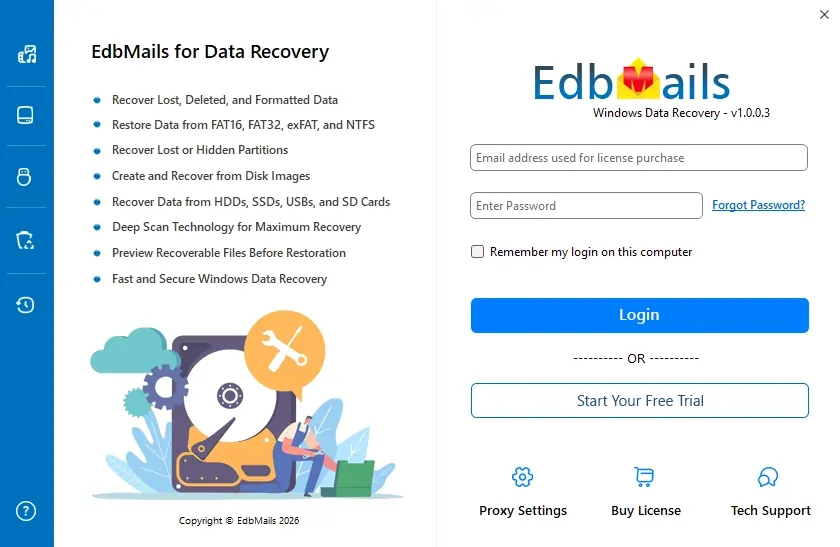
- Enter your email address and password to login. If you haven’t registered yet, click ‘Start Your Free Trial’ to explore the features.
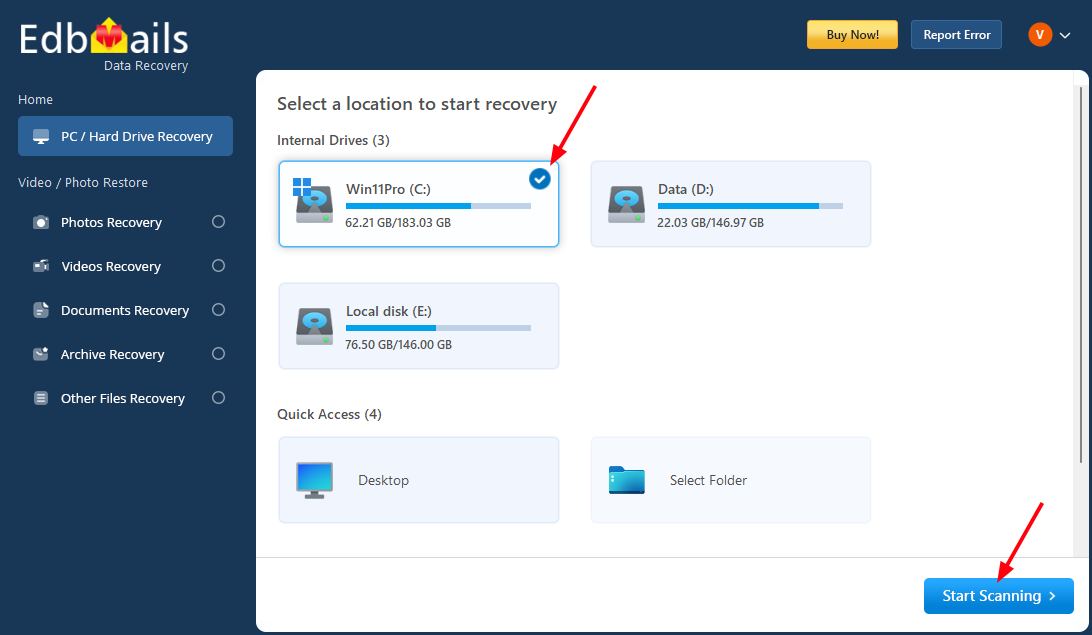
- Select the drive from which you want to recover items and click ‘Start Scanning’.
- Here, all deleted items will be listed. You can apply the required filters using the left-side navigation bar.
- If needed, select the required filter and click the ‘Apply’ button.
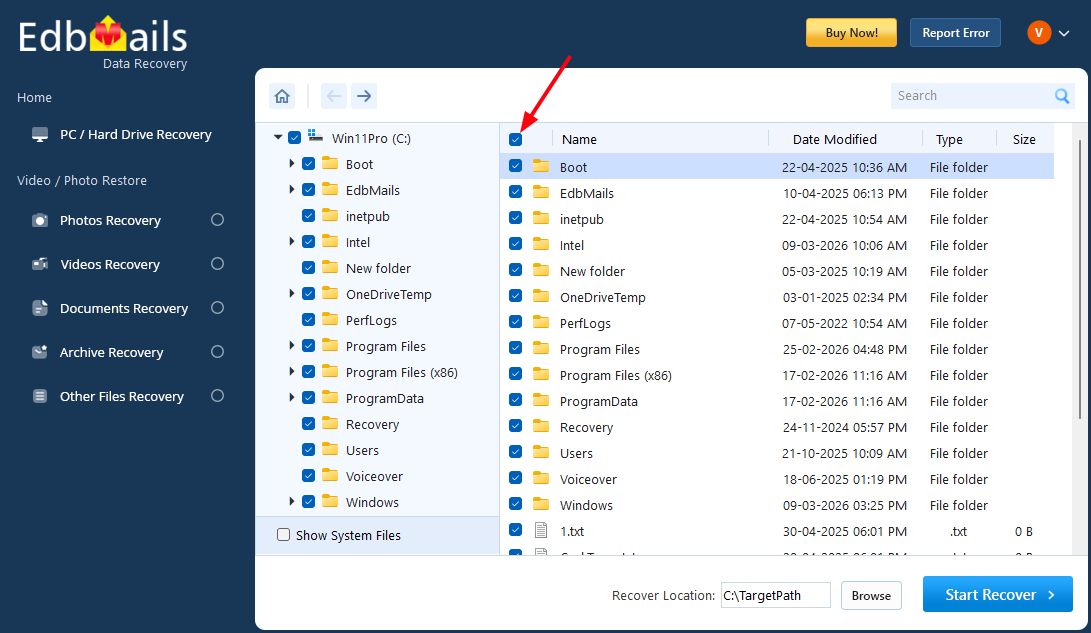
- Select the required folders that you want to recover.
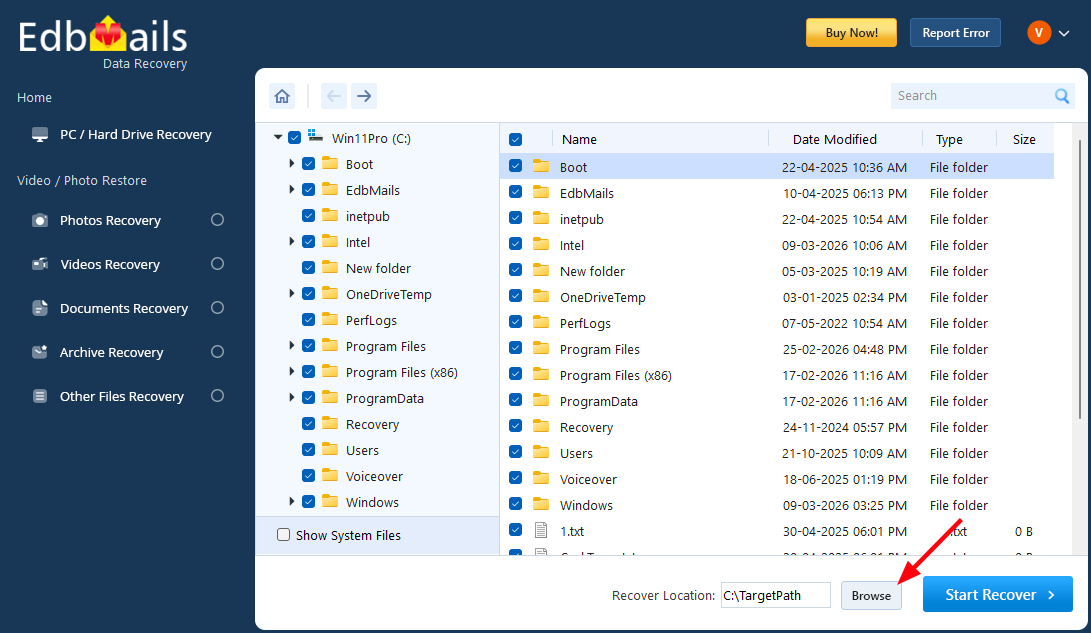
- Click the ‘Browse’ button to select the recovery location.
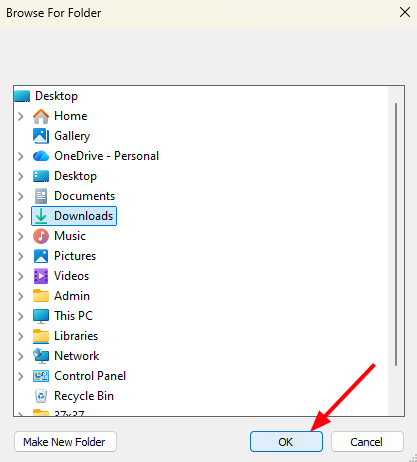
- Select the desired location and click ‘OK’.
- Click the ‘Start Recover’ button.
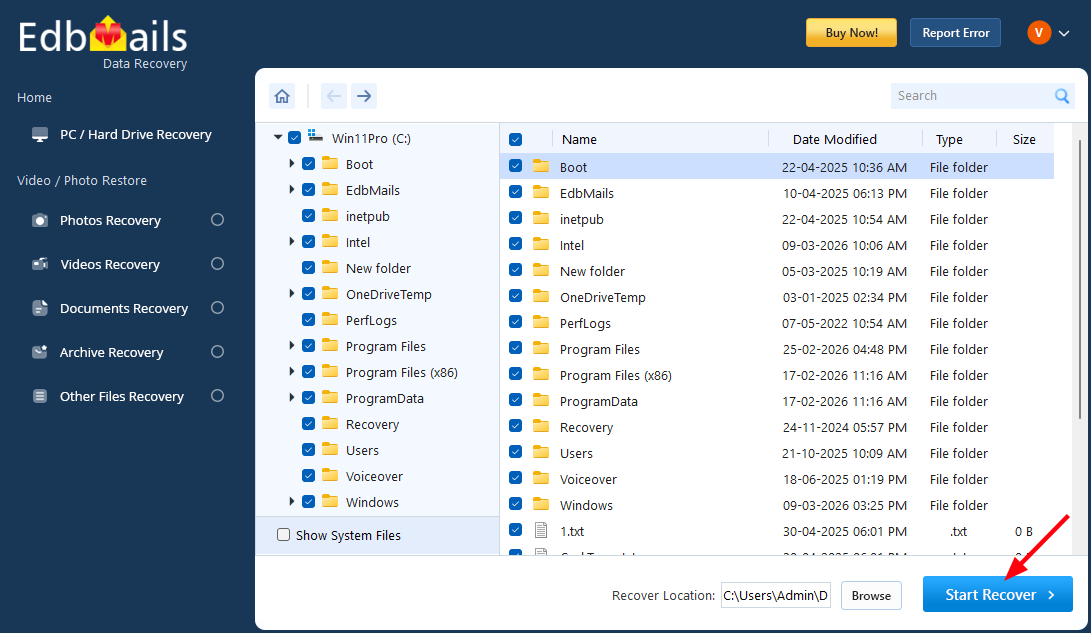
- Once the recovery is complete, you will be prompted with the number of files recovered.
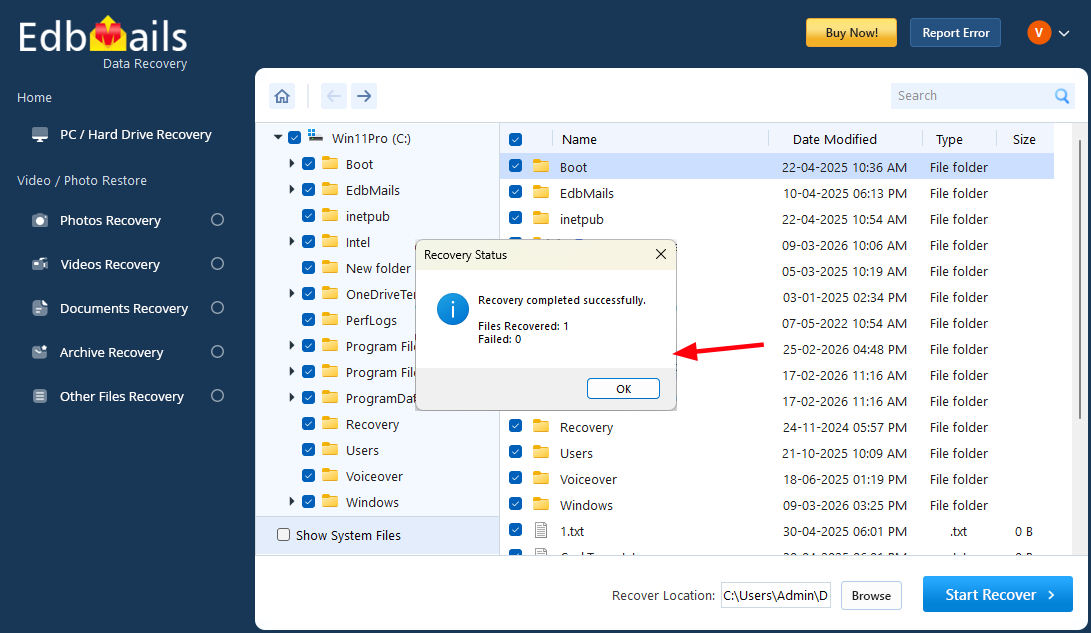
- You can navigate to the selected recovery location to check the recovered items.
- Download and install the EdbMails application on your computer.
Advantages of EdbMails Data Recovery Software
- Provides unlimited free scanning and viewing of recoverable files before purchase.
- Performs recovery in secure read-only mode without modifying the source drive
- Supports recovery from HDD, SSD, external drives, USB drives, and SD cards
- Recovers files deleted using Shift + Delete or permanently removed from the Recycle Bin
- Allows users to view supported files before recovery
- Enables selective file and folder restoration
- Includes advanced file-type filtering for faster navigation
- Supports multiple file systems and Windows versions
- Suitable for individual users, IT professionals, and enterprise environments