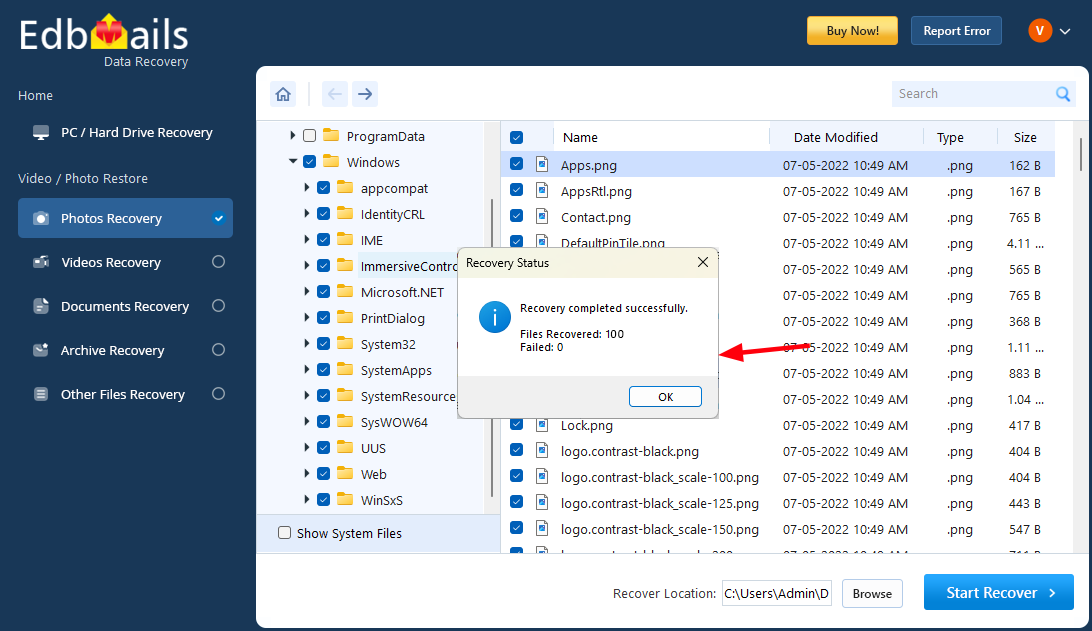


Photo recovery screenshots
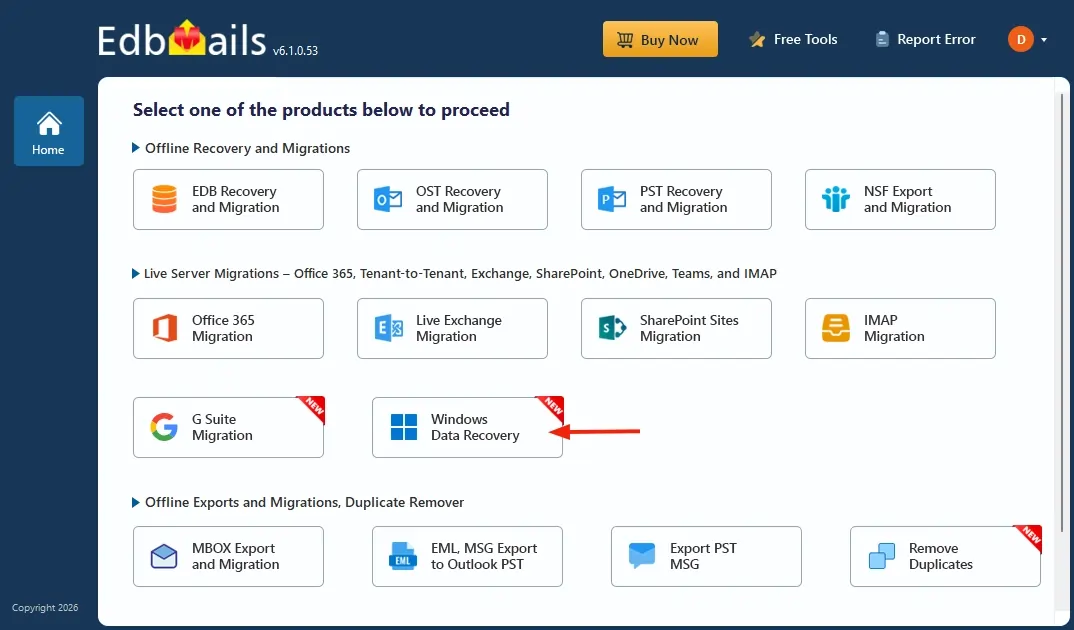
Select ‘Windows Data Recovery’ option
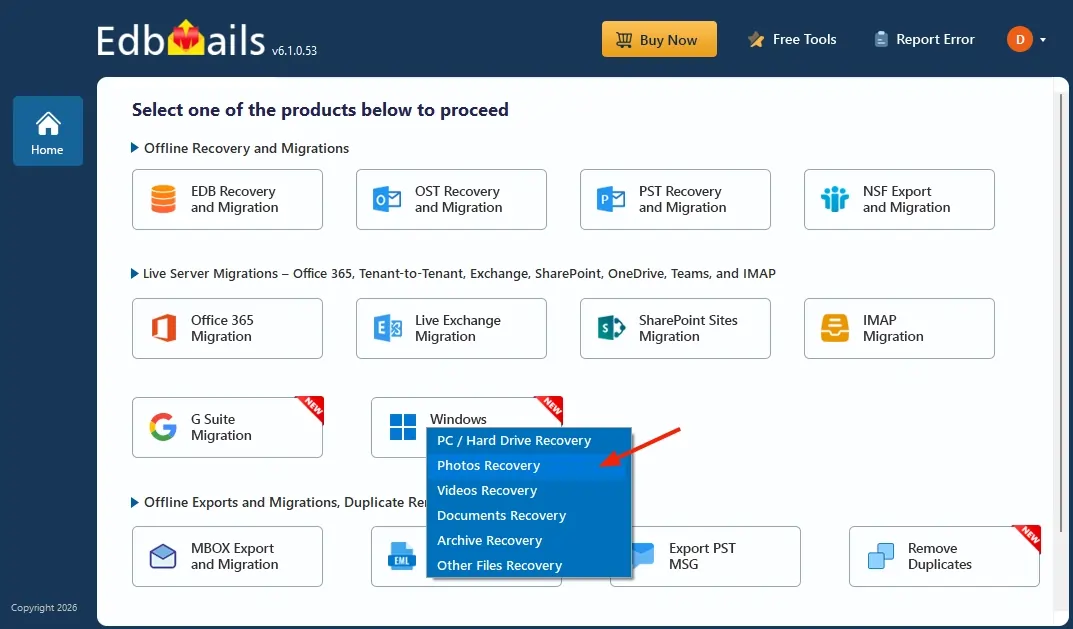
Select the ‘Photos Recovery’ option.
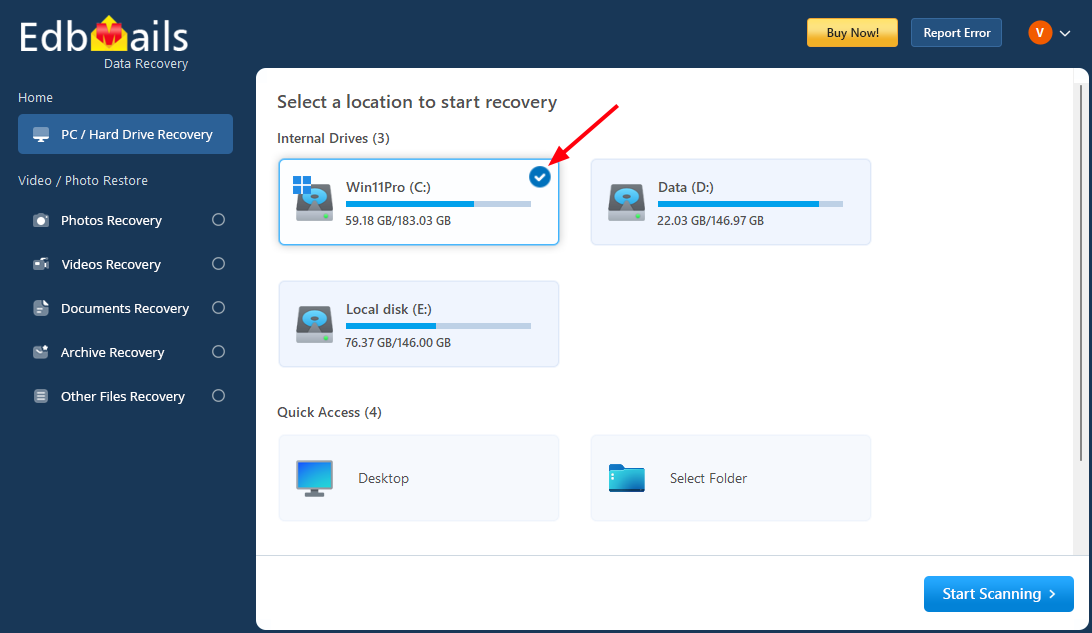
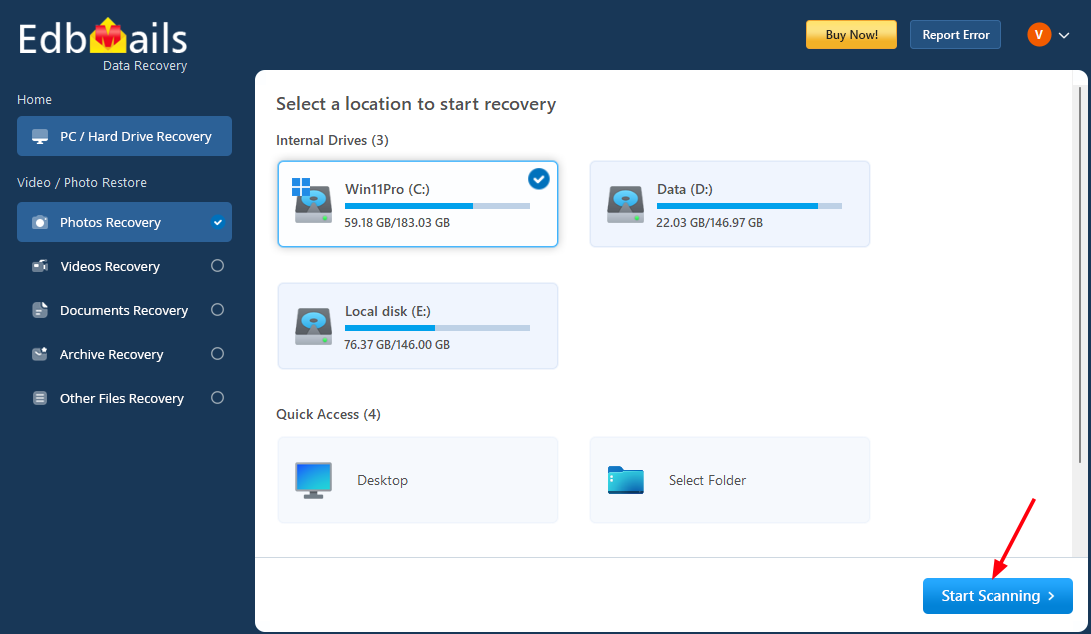
Select a drive to recover deleted photos.
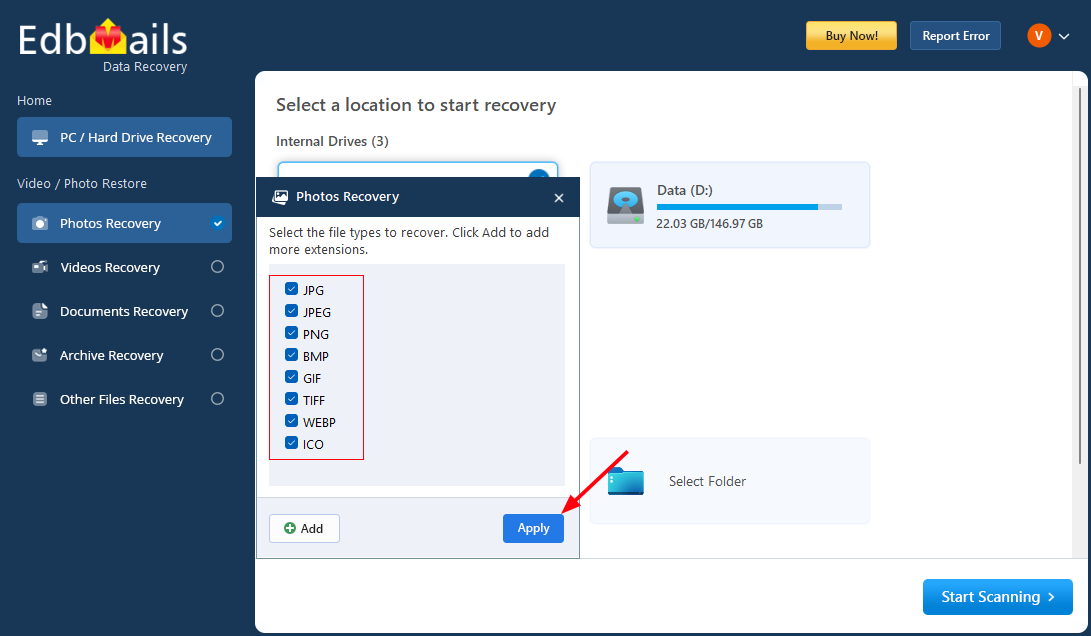
Select file types to recover and click ‘Apply’.
Select required folders want to recover.
Click the ‘Start Scanning’ button.
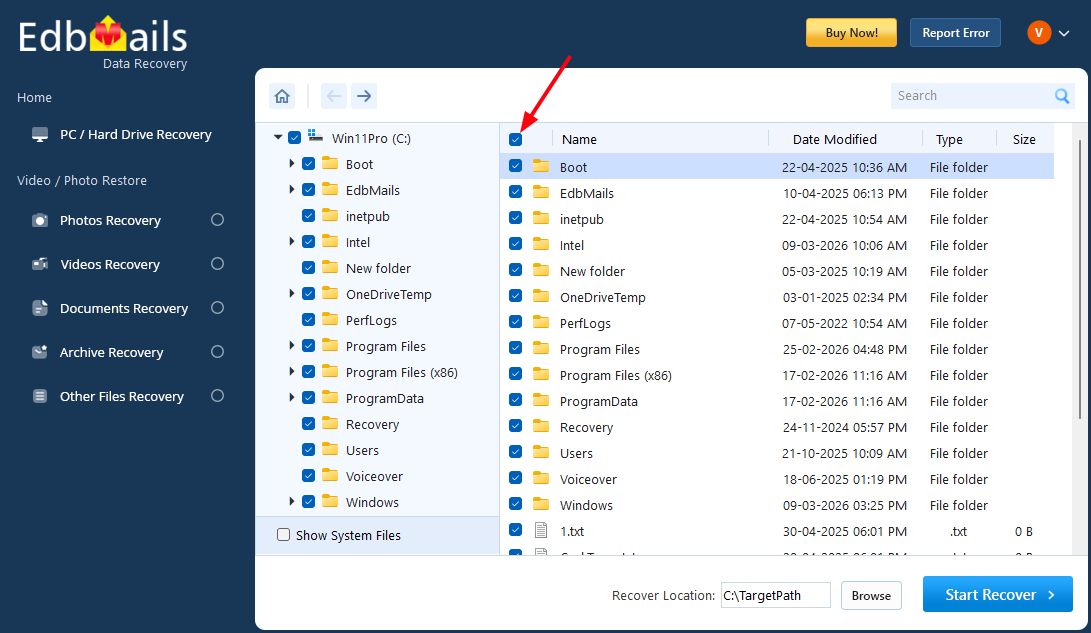
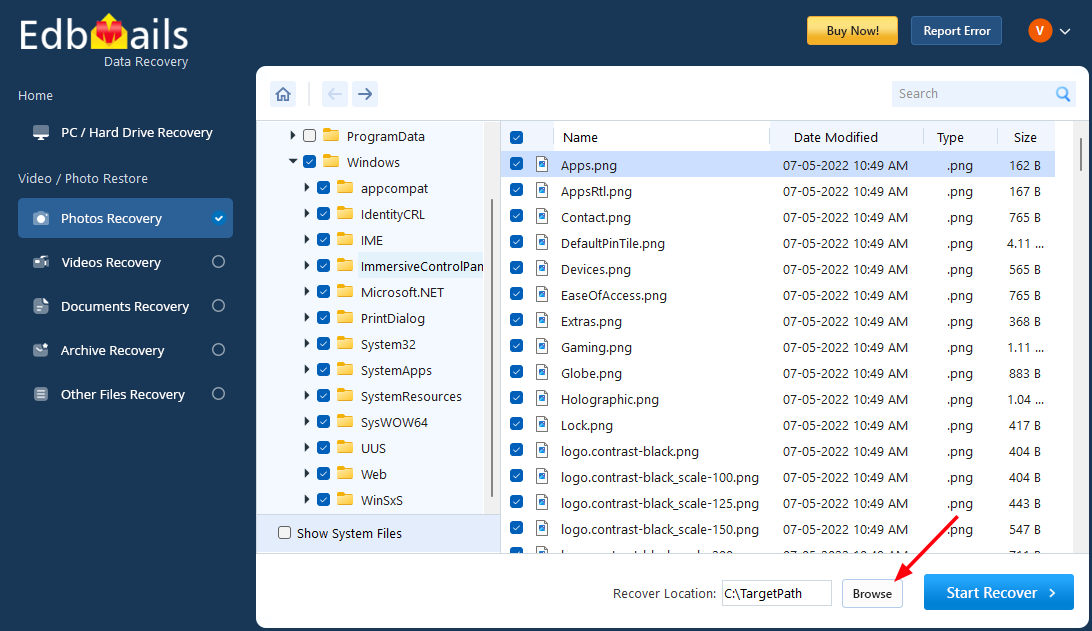
Select the items you want to recover.
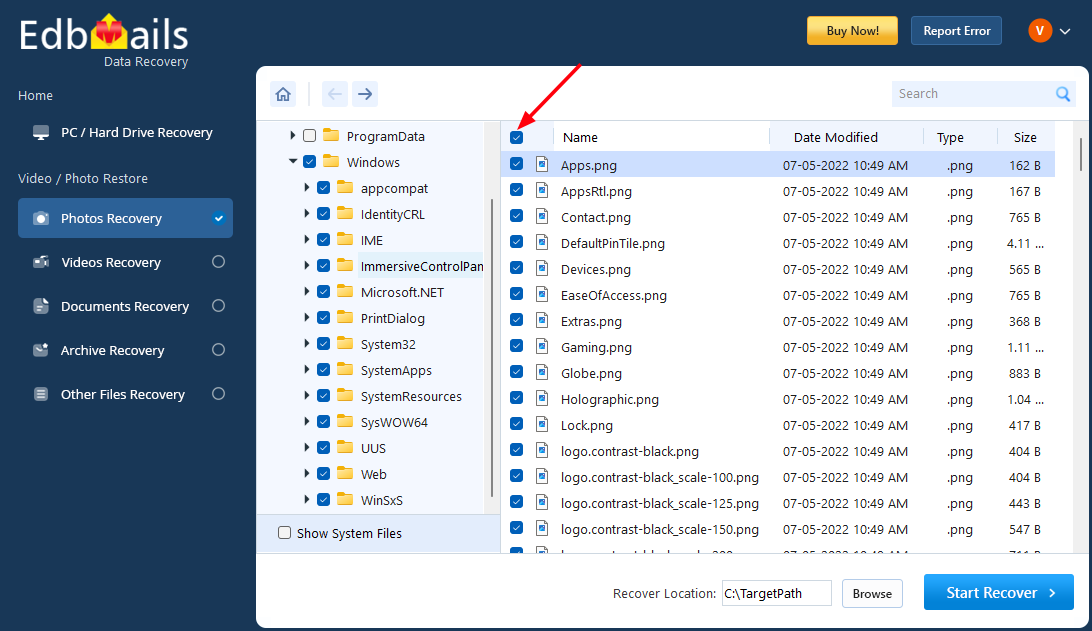
Click the ‘Browse’ button
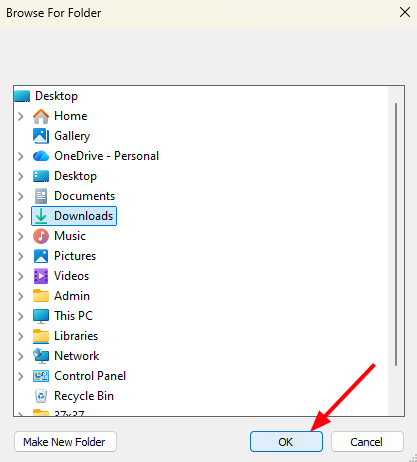
Choose the desired location and click ‘OK’.
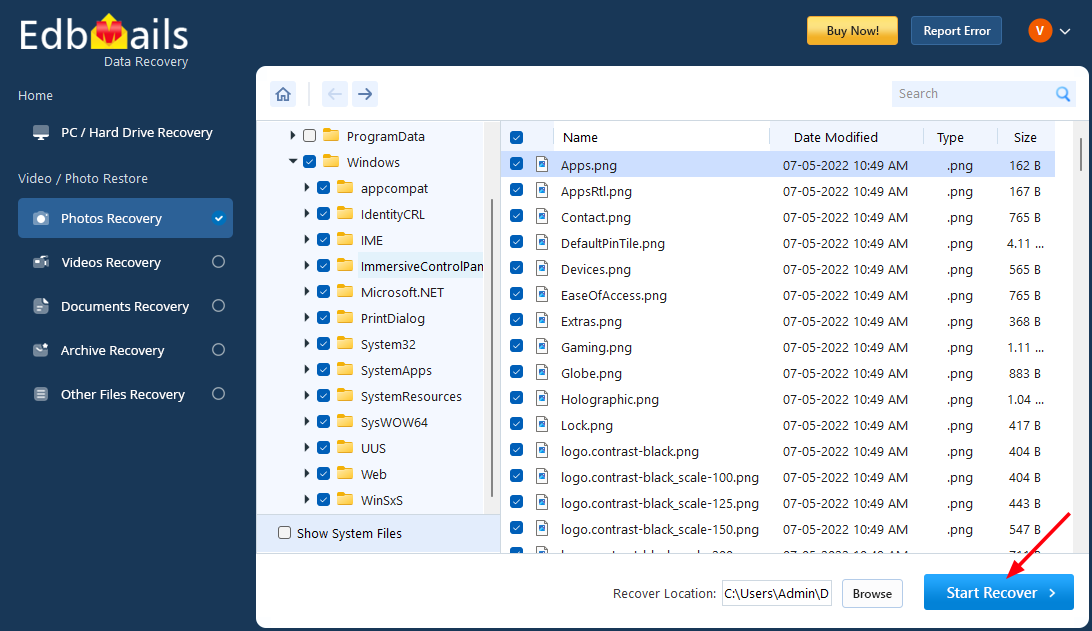
Click the ‘Start Recover’ button.
Recovery complete → items displayed.