

 Cart
Cart
Exchange Cross-forest and Cross-domain Migration
Cross-forest and cross-domain migration are essential when organizations undergo major changes such as mergers, restructuring, or the integration of different IT environments. These processes allow businesses to migrate mailboxes and data smoothly between separate Active Directory forests and domains while maintaining collaboration across systems. During migration, organizations often face challenges such as authentication conflicts caused by different security policies, synchronization issues with the Global Address List (GAL), and the risk of data loss when handling large mailboxes that exceed size limits. In addition, configuration differences between environments can create compatibility problems, and compliance requirements for sensitive data must be carefully managed. Ensuring zero downtime during the migration process is also critical to prevent disruption to daily operations and maintain productivity.
EdbMails Exchange Migration Tool transforms data migration between on-premises Exchange environments across different Active Directory forests or domains, supporting a range of versions, including Exchange 2019, 2016, 2013, 2010, and 2007. Unlike traditional native migration methods, EdbMails provides a more efficient and streamlined solution. Its intuitive, wizard-driven interface automates much of the migration process, significantly reducing the manual effort required. EdbMails also automates key tasks, such as creating user mailboxes on the target server and matching them with their corresponding source mailboxes, thereby eliminating the need for manual intervention and ensuring a smooth, hassle-free migration experience.
EdbMails employs an incremental migration approach that ensures only new and modified data is transferred during subsequent migration operations, optimizing bandwidth usage and reducing overall migration time. The software also supports concurrent migrations, allowing multiple migration tasks to occur simultaneously, which significantly accelerates the entire process. With advanced filter settings, users can select precisely which data to migrate, ensuring that only essential items are included.
Furthermore, EdbMails maintains zero downtime, allowing organizations to maintain full productivity during the transition. Robust security features safeguard sensitive data throughout the migration process. The tool supports single-hop migration and provides comprehensive reporting, offering users complete visibility and control over every aspect of the migration. This combination of efficiency, security, and user control makes EdbMails a powerful solution for cross-forest and cross-domain Exchange migration operation.
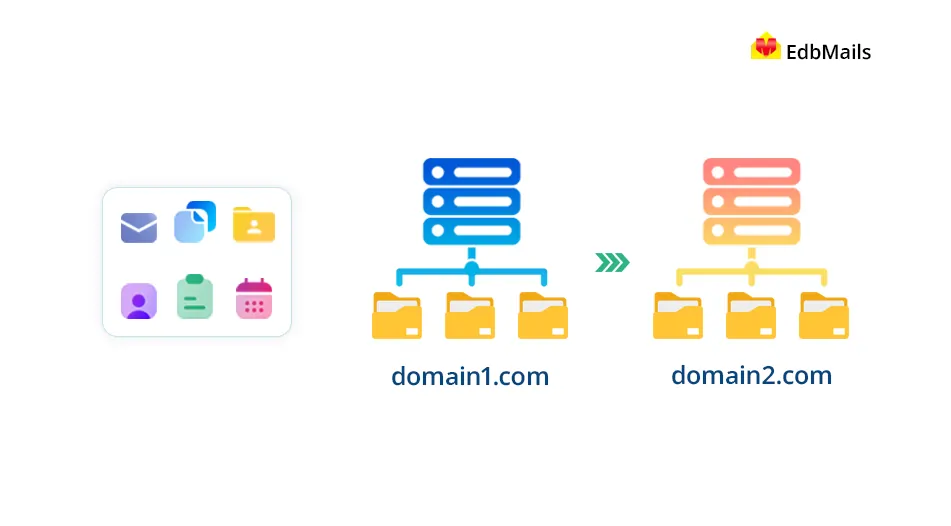
Importance of Cross-forest Exchange Migration
- Organizational Changes: When a company experiences structural shifts, such as mergers or acquisitions, EdbMails helps integrate user data from various Active Directory environments smoothly.
- Domain Consolidation: Organizations may choose to merge multiple domains into a single domain to streamline management and enhance overall efficiency, a process made simpler with EdbMails.
- Resource Optimization: EdbMails facilitates cross forest migration, enabling the optimization of IT resources by centralizing user mailboxes and consolidating other data effectively.
- Upgrading Infrastructure: As organizations modernize their messaging systems, particularly when moving from legacy Exchange servers to newer versions like Exchange 2016 or 2019, utilizing EdbMails can significantly streamline the cross forest migration process, ensuring a smooth transition.
- Compliance and Security: EdbMails supports the migration of mailboxes across different Active Directory forests while ensuring that the migration process adheres to stringent security and compliance standards. This helps organizations meet regulatory requirements while enhancing their overall security posture, ensuring that sensitive data is protected throughout the migration.
- Geographic Relocation: During geographic relocations, EdbMails facilitates the seamless transfer of user mailboxes to the new infrastructure. By minimizing downtime and ensuring continuity, EdbMails helps businesses maintain productivity during transitions, making it an ideal solution for organizations undergoing relocation.
Exchange Cross domain Migration: Exchange 2007 or 2010 to 2013 or 2016 or 2019
Coexistence between certain Exchange versions is not possible. For instance, Exchange 2007 cannot coexist with 2013, 2016, or 2019, requiring an upgrade to 2010 first. Similarly, Exchange 2007 must transition through 2010 to reach 2016 or 2019. Direct coexistence between Exchange 2010 and 2019 is unsupported, while coexistence between Exchange 2007 and Exchange 2010 is possible. EdbMails supports direct migration of data between these Exchange versions without the need for coexistence, simplifying the upgrade process and ensuring efficient mailbox migration.
How to perform Cross-forest and Exchange Cross-domain Migration using EdbMails?
EdbMails facilitates cross-forest and cross-domain migrations across Exchange versions, including migrations from 2007, 2010, 2013, and 2016 to 2019. The migration process begins with setting up connections between the source and target environments, followed by mapping user accounts, configuring migration settings, and securely transferring data. These steps help ensure a smooth and reliable transition across Exchange environments.
Step by Step guide for Cross-forest migration from Exchange 2013 to 2019/2016