

 Cart
Cart
Incremental (Delta) Exchange Migration
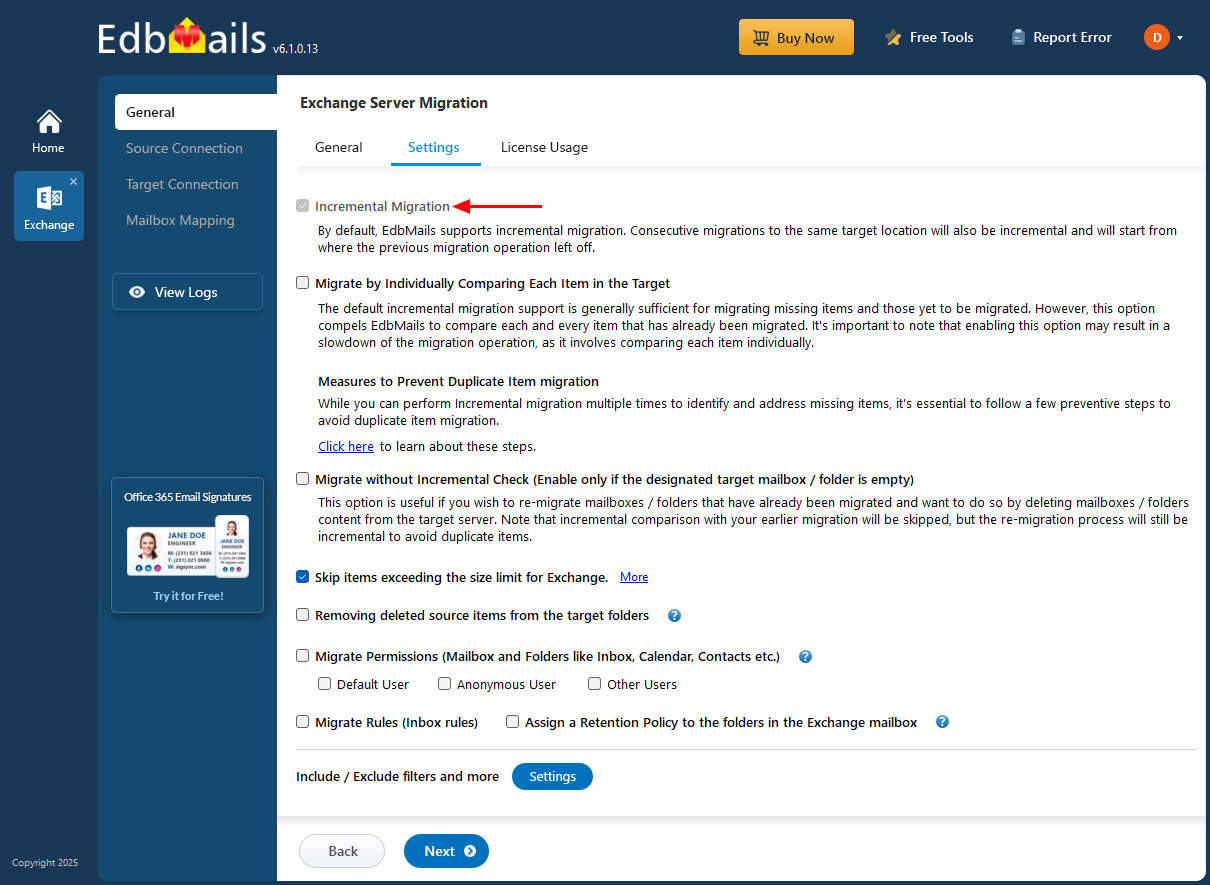
EdbMails Exchange Migration Software includes a Delta (Incremental) Exchange migration feature that migrates only the new or modified items during subsequent migration operations. By preserving metadata and tracking previously migrated data, the software prevents duplicate migration of emails, contacts, calendars, and tasks. This approach reduces the overall data load, saves bandwidth, and speeds up the migration process, ensuring a more efficient and resource-friendly experience.
EdbMails records detailed metadata for every migration session, including message IDs, timestamps, and folder hierarchy. This information enables the software to run precise incremental migrations by identifying and migrating only newly added or updated items. It is especially beneficial for large or phased migrations, helping maintain data consistency across multiple migration sessions.
How does EdbMails perform Incremental Exchange Migration?
EdbMails begins with a full migration from the source to the target server, during which it securely stores essential metadata in encrypted form on the local computer. In subsequent migration operations, the software uses this metadata to compare the source and target mailboxes, identifying and migrating only new or modified items. This Delta migration approach ensures that the target environment remains fully up-to-date, and avoids duplicate data transfers, optimizes bandwidth usage, and significantly reduces the overall migration time and resource consumption.
Migration precautions to prevent duplicate items in target mailboxes
- Ensure that you are using EdbMails for the first time to migrate to the target mailbox. If the messages are already existing on the target (that were not migrated using EdbMails) then a re-migration may cause duplicate items.
- Ensure that you never select the same source and target mailbox. This will result in migration within the same mailbox and it will create duplicate items
- Ensure that you do not select the same mailbox during parallel migration on different computers. In addition, ensure that you migrate the mailboxes from the same computer during re-migration.
- Ensure that you always migrate your mailboxes using EdbMails. If you are using multiple migration methods such as Importing from PST, PowerShell and so on, it may result in duplicate items
Other Migration Options
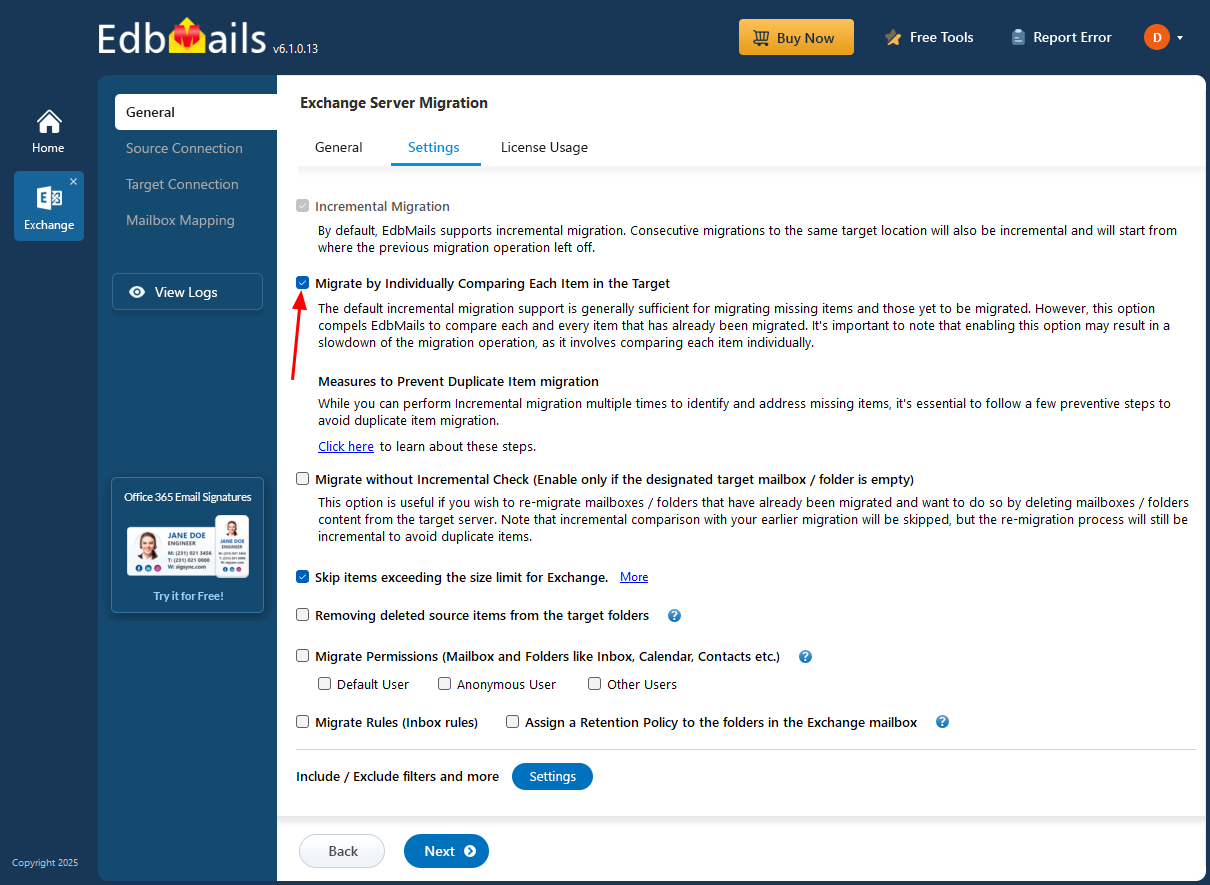
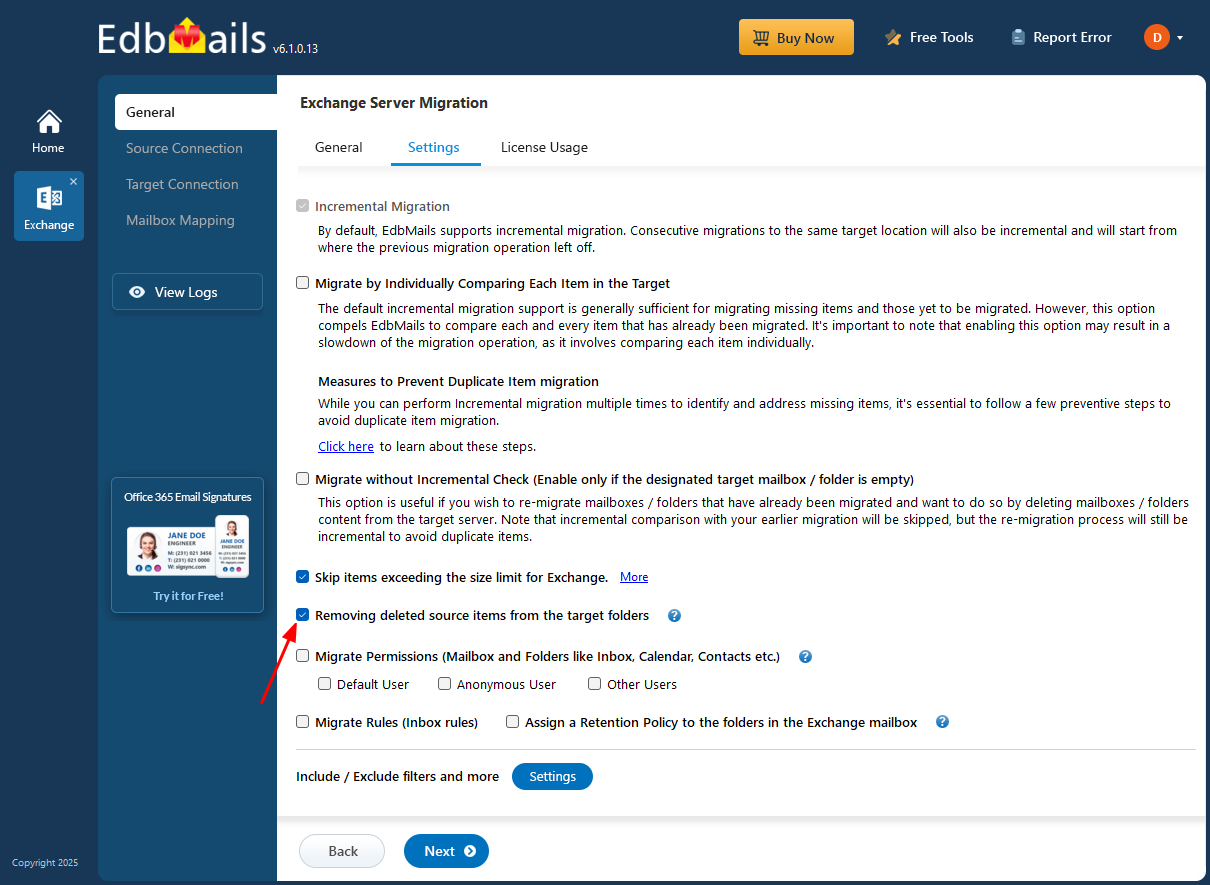
- Option 1 : Migrate by individually comparing each item in the target server
EdbMails default Delta migration is usually enough to migrate any missing or unsynced items. However, the 'Migrate by individually comparing each item in the target server' option forces EdbMails to check every item that has already been migrated. Keep in mind that enabling this option can slow down the migration process, as it requires a detailed comparison of each individual item.
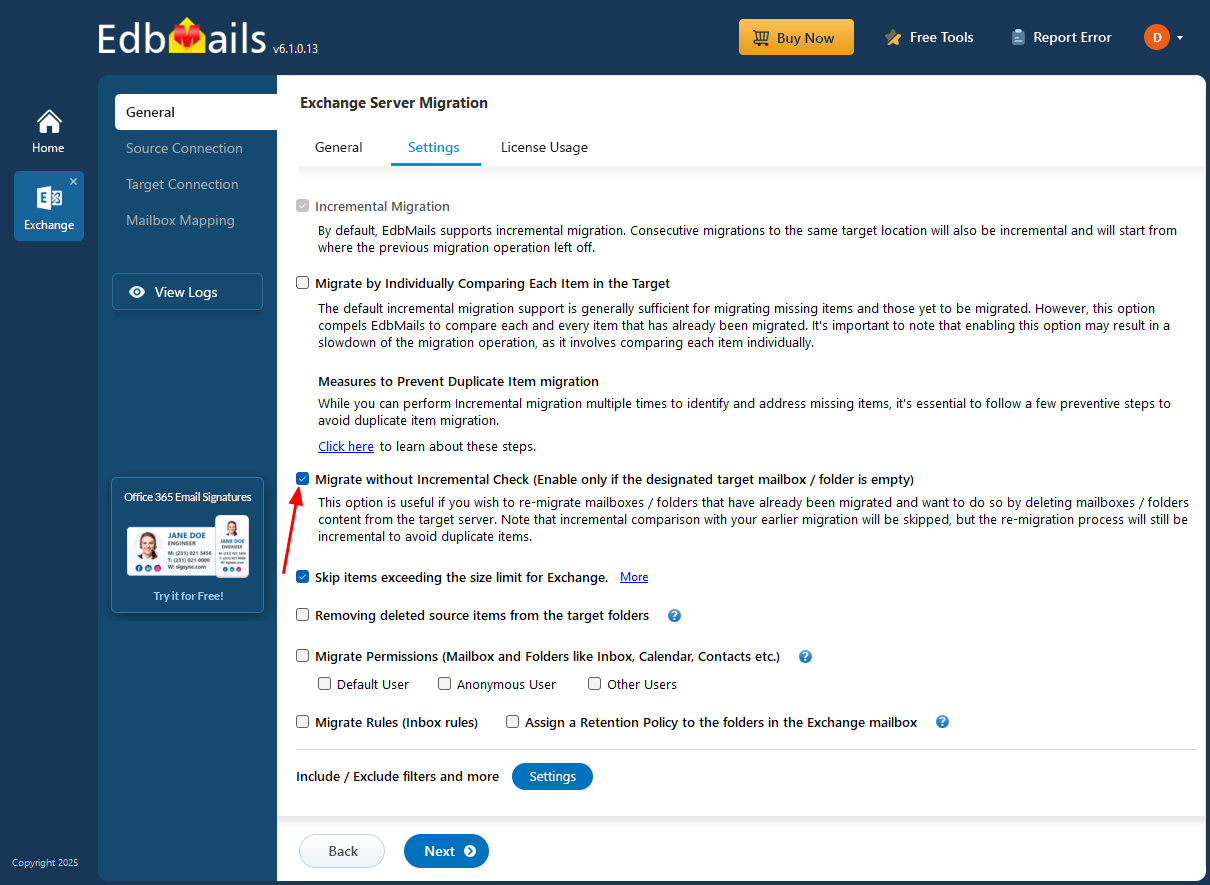
- Option 2: Migrate without incremental check
This option is helpful if you want to re-migrate mailboxes or folders that have already been transferred, particularly after deleting their contents from the target server. Keep in mind that while the comparison with your previous migration will be skipped, the re-migration will still be done incrementally to prevent any duplicate items.
- Option 3: Remove deleted source items from the target servers
This option is beneficial if you have removed items from the source after the initial migration and wish to delete those same items from the target server during the next migration.
Error Recovery and Resume Capability:
EdbMails Delta Exchange migration software includes error recovery and resume capability, meaning that if a migration session is interrupted (for example, due to network issues, throttling, or server disconnection), the tool can automatically resume the migration from the last successfully migrated item without duplicating or skipping data.
This behavior is closely tied to EdbMails’ incremental migration technology, which maintains metadata about each migrated item (like message IDs and timestamps). When the migration restarts, EdbMails compares this metadata and transfers only the pending or modified items.
Benefits:
- Prevents data loss during interruptions.
- Avoids duplicate item creation.
- Saves time by continuing from the last checkpoint instead of restarting.
- Ensures migration consistency and reliability.
Additional resources: