


How to Backup Exchange Mailbox by Converting OST to PST?
Microsoft Exchange Server is the backbone of business email for organizations worldwide, managing mailboxes, calendars, and contacts at scale. Outlook connects to Exchange and keeps a local, synchronized copy of your mailbox in an OST (Offline Storage Table) file, giving you offline access to emails, contacts, and calendars even without an active server connection. However, OST files can run into synchronization issues that make them inaccessible, often triggered by a server crash, profile corruption, or Exchange downtime. When this happens, backing up your Exchange mailbox data becomes critical to avoid permanent data loss.
One of the most reliable ways to protect your Exchange mailbox is by converting the OST file to PST format. This creates a portable, standalone backup that you can store securely and restore into Outlook whenever needed, independent of the original Exchange profile.
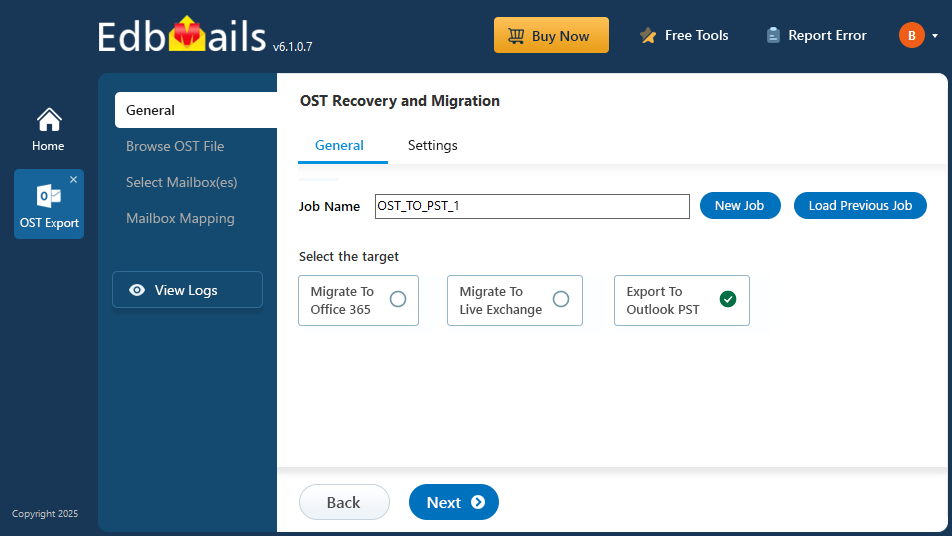
In this guide, we'll walk through how to back up your Exchange mailbox by converting OST to PST. Using a professional solution like EdbMails OST to PST Converter ensures a hassle-free and reliable backup process, even when the OST file is inaccessible or damaged. Let's get started with a seamless solution for your data protection needs.
Reasons for mailbox backup and conversion of OST file to PST
- An Exchange server can crash or may go offline causing the local OST file to become orphaned.
- OST files are also orphaned due to Exchange server failures or EDB file corruptions.
- Local OST files are prone to corruption, virus infection, unexpected system shut-downs, Outlook crashes, hardware failure events and ransomware threats.
- Difficult to completely repair corrupted OST files manually.
- A cached OST file does not reflect the current mailbox contents on the server making it difficult to retrieve important data that has been lost recently.
- Overgrown OST files are difficult to manage and cause syncing issues with MS Outlook.
- Accidental deletion of folders and files in Exchange server can result in data loss.
Steps to backup Exchange mailbox using EdbMails OST to PST converter
- Step 1: Download and Install the EdbMails converter for OST on your computer.
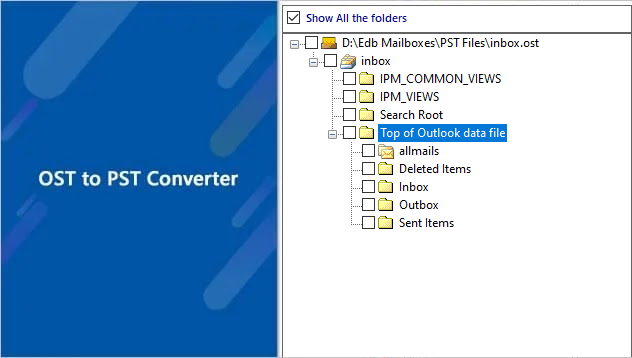
- Step 2: Before exporting, select the OST file and preview the mailbox/folder data.
- Step 3: Select the PST file location where the exported data should be saved.
- Step 4: Use advanced filter settings
- Step 5: Backup all of your emails from the OST to PST. That's all!
For the complete step-by-step walkthrough with screenshots, see our detailed Convert OST to PST Guide.
Video Tutorials
Conclusion
Backing up your Exchange mailbox by converting the OST file to PST is one of the simplest ways to protect your data from server crashes, corruption, and accidental loss. Having a reliable backup ensures you're never caught off guard when synchronization issues or Exchange downtime strike. While manual methods exist, a dedicated tool like EdbMails makes the process faster and safer, especially when the OST file is already orphaned or damaged. Taking a few minutes to set up a regular backup routine today can save you hours of recovery work down the line.
Frequently Asked Questions
What is the difference between an OST and a PST file, and why convert OST to PST for mailbox backup?
An OST file (Offline Storage Table) is a synchronized local copy of an Exchange mailbox used by Outlook for offline access but cannot be imported directly if the server mailbox is unavailable. A PST file (Personal Storage Table), on the other hand, is a standalone Outlook data file that can be opened and managed independently. Converting OST to PST enables you to create a reliable backup of your mailbox data that’s portable and accessible even without the original Exchange profile.
Can I convert an offline or orphaned OST file to PST even if the Exchange server or Outlook profile is unavailable?
Will converting an OST file to PST preserve all mailbox items and structure?
Is an OST file suitable for long-term Exchange mailbox backup and data retention?
Is it possible to backup Exchange mailboxes from Exchange Online or Office 365 using an OST file?


