


Unlimited OST Files Recovery and Export
When managing multiple mailboxes at once, exporting several OST files to PST quickly becomes a practical requirement. This is common during large-scale mailbox recovery, data migration projects, or when working with inactive or disconnected Outlook profiles. However, built-in Outlook export options offer limited support, particularly for large, corrupted, or orphaned OST files, making bulk exports slow and unreliable.
EdbMails OST to PST Converter is designed to handle large-scale OST exports with ease, allowing unlimited file conversion without size limits. It supports all Outlook versions including 2021, 2019, 2016, and earlier, and ensures complete recovery of emails, calendars, contacts, notes, tasks, and attachments while preserving folder structure, metadata, and overall data integrity for both individual and organizational needs.
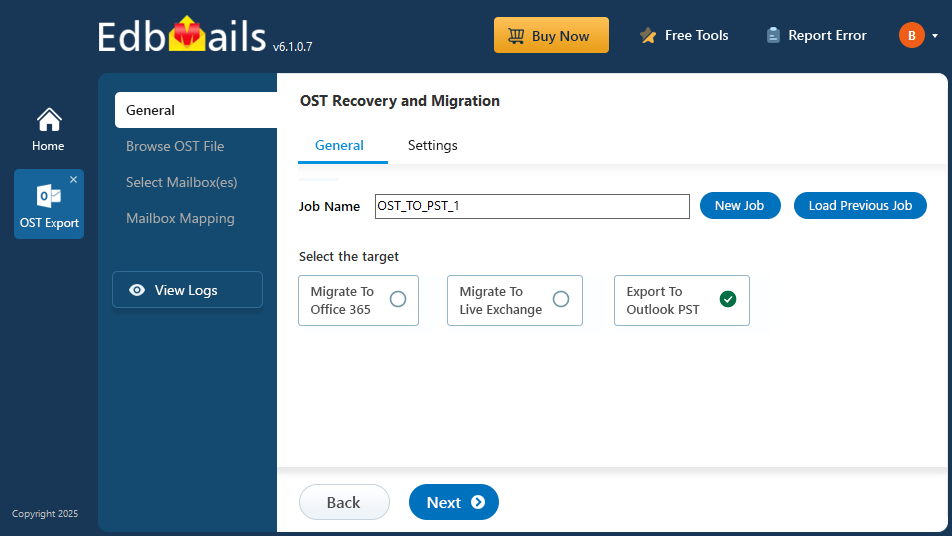
In this step-by-step guide, you’ll learn how to select OST files, configure export options, and save the data in PST format. With EdbMails, you can recover and convert Outlook data effortlessly, even from damaged OST files without relying on PowerShell scripts or manual setups.
Top reasons for exporting multiple OST files to PST
- IT teams managing several inactive or ex-employee mailboxes often need to export many OST files at once rather than one at a time.
- Large-scale migration projects and Exchange server decommissioning require converting entire batches of OST files without size or count restrictions.
- Organizations enforcing data retention or compliance policies need a reliable way to back up multiple mailboxes to PST in a single workflow.
- Corrupted or orphaned OST files across multiple systems can be recovered and converted together, saving significant admin time compared to manual, one-by-one recovery.
EdbMails OST to PST converter tool offers
- Lifetime licenses and free software upgrades
- Free 24/7 Technical Support for lifetime
- Support for all Outlook and Windows computers
- Opening OST files and previewing the data before export
Steps to export unlimited OST files to PST using EdbMails
- Download and install EdbMails, then select 'OST Recovery and Migration' → 'OST to PST'.
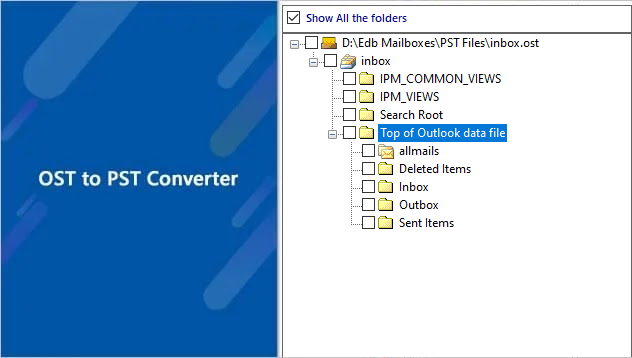
- Browse and add your OST file(s), preview the recovered mailbox data, and start the export.
- EdbMails processes files without any count or size restrictions.
- For the complete step-by-step walkthrough with screenshots, see the full Convert OST to PST Guide.
Watch the video for unlimited OST file export:
Advantages of EdbMails OST to PST converter
- Unlimited OST recovery and export: no restrictions on file count or size
- Customizable email export filters: export only the data you need across multiple mailboxes
- Recovery of corrupt OST files: even at scale, across damaged or ransomware-affected files
- No data modification or deletion of source files during bulk export


