


Granular Recovery of OST File and Export OST to PST
Sometimes you only need a handful of emails back, not the entire mailbox. Granular recovery is the process of restoring specific items — individual emails, attachments, or folders without importing the entire OST file into Outlook or running a full system restore. A finance team that accidentally deleted one invoice thread, for instance, shouldn't have to wait for a 50 GB mailbox to fully export just to get it back. This targeted approach is faster, avoids unnecessary storage use, and leaves the rest of the mailbox untouched.
When mailbox issues are limited to a few items, a focused recovery approach works best. Rather than restoring everything, administrators can pull out exactly what's needed a corrupted folder, a deleted email thread with far less time and disruption to daily operations.
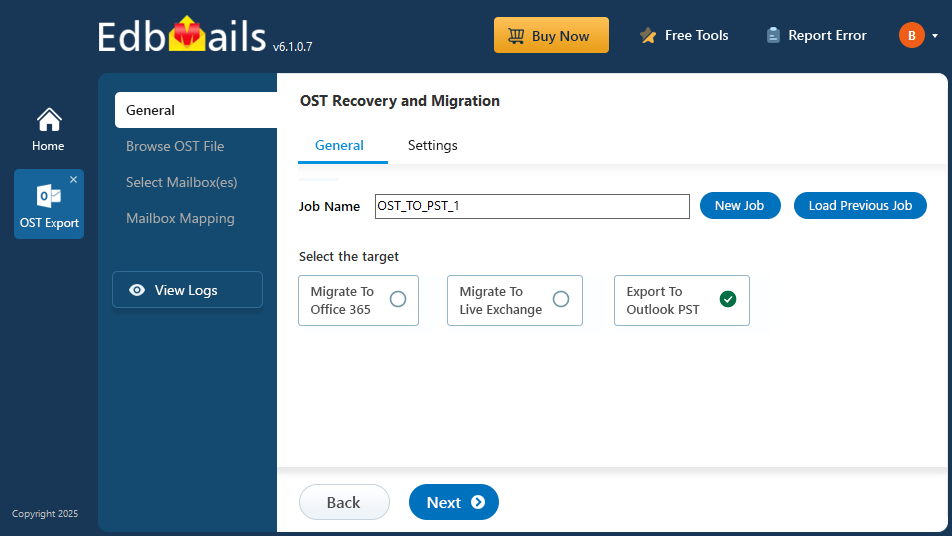
EdbMails' OST recovery tool builds on this by letting you extract specific, deleted, or inaccessible data from OST files, including orphaned folders, without needing the original mailbox or Outlook profile. It's a dependable way to recover exactly the items you need.
Advantages of Granular OST Data Recovery
- Faster recovery: Pulling only the required emails or folders instead of processing the entire OST file cuts recovery time significantly. EdbMails extracts specific mail items without touching the rest of the mailbox.
- Less storage overhead: Restoring only what's needed avoids the storage cost of a full mailbox copy, which matters when you're recovering from a large or aging OST file.
- Minimal disruption: Because recovery runs independently of Outlook and Exchange synchronization, other mailbox and server operations keep running without interruption.
- Lower cost: Skipping full mailbox restoration means less time, effort, and infrastructure a practical advantage whether you're supporting one mailbox or hundreds.
- More control: Advanced filtering and preview options let you select exactly what to recover individual emails, attachments, specific folders without wading through the rest of the mailbox first.
How to recover OST files Granularly with EdbMails
EdbMails recovers Outlook OST data with precision, whether the file is corrupted, orphaned, or simply inaccessible, and exports the result directly to PST. It supports OST files from all major Outlook versions, including 2021, 2019, 2016, 2013, 2010, and 2007.
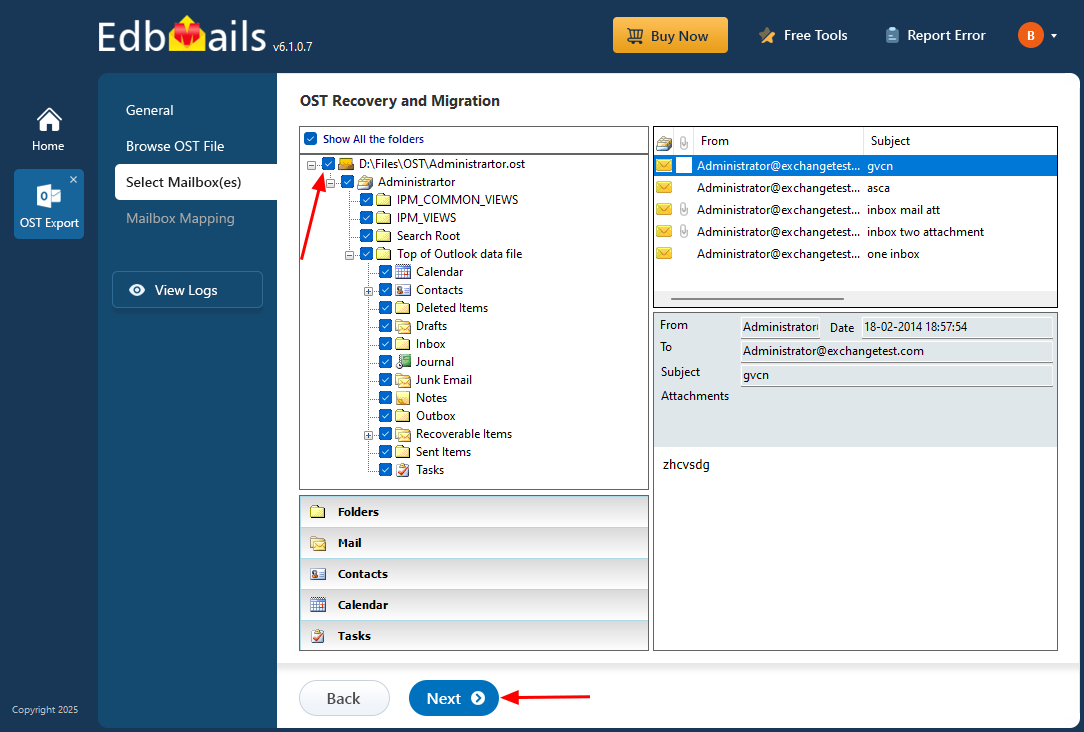
By default, EdbMails retrieves all mailbox items from an OST file. But you can just as easily export only specific emails, folders, or subfolders using the application's tree-view interface so you recover exactly what you need, nothing more.
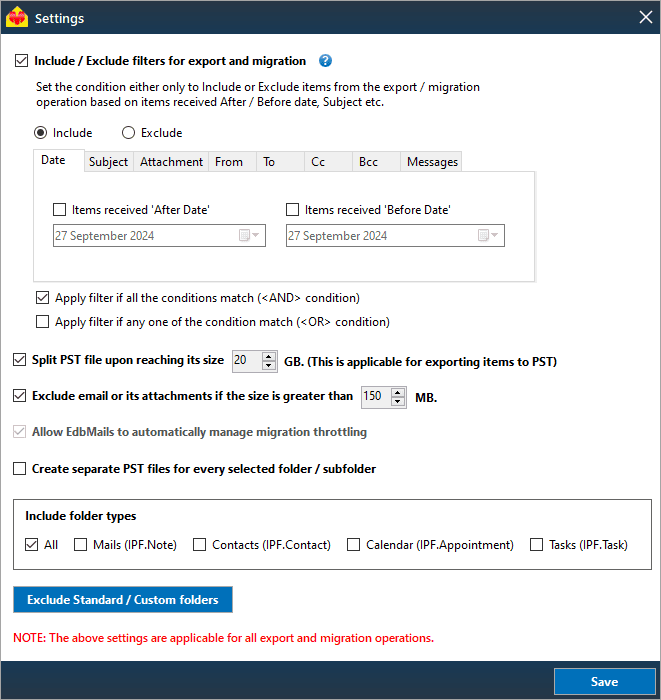
To narrow things down further, use the include/exclude filters under Settings. You can filter by ‘sent/received date’, ‘sender’, ‘recipient’, ‘CC’, ‘BCC’, ‘subject’ line, ‘attachment name’, or ‘read/unread status’.
Need the full conversion process instead of a selective export? See the step-by-step guide to convert OST to PST.


