


Free OST File Viewer to Preview the Complete OST Data
An OST (Offline Storage Table) file stores a synchronized copy of your Outlook mailbox, allowing access to emails, contacts, calendars, and other data even when offline. While this works reliably with Exchange and Office 365, issues occur when the OST file becomes corrupted, orphaned, or disconnected from its original Outlook profile, making mailbox data difficult or impossible to access through Outlook.
EdbMails Free OST Viewer Tool offers a simple and reliable way to open and review OST files without relying on Outlook or an active mail server connection. It allows you to preview OST files created from Exchange Server, Office 365, or IMAP accounts, including emails, attachments, calendars, contacts, and tasks - even when the file is damaged or disconnected.
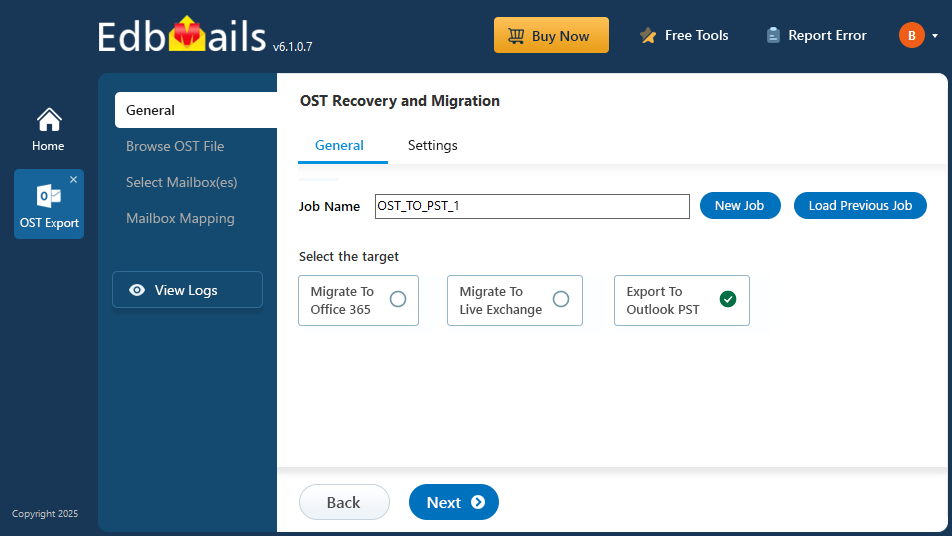
With its intuitive, step-by-step interface, the tool walks you through selecting, scanning, and previewing your OST files. Designed for Windows systems, EdbMails ensures quick and uninterrupted access to your mailbox data, making it a practical solution for anyone needing to view OST contents without Outlook.
EdbMails Free OST Viewer to Easily Open and View OST File Data
EdbMails free OST file viewer lets you open and easily view the contents of OST files. It can also open corrupted and orphaned OST files and is compatible with all Windows and Outlook versions.
- The application displays the folder/email data of OST files without an Exchange server profile.
- The OST file reader displays the contents of password protected OST files.
- Open large size OST files with ease and preview all the email messages, folders, contacts, calendar items, notes, appointments and journals.
- You can view the Offline OST files with all of the associated email data.
- You can also view the information such as the Sent and Received date of the message, From Address, To Address, Subject, Mail body, Attachments and other email header information.
- Quickly open and read an OST file when the Outlook emails are not syncing with the server.
Steps to open OST files with EdbMails OST viewer tool
- Step 1: Download and Install EdbMails OST to PST Converter Tool.
- Step 2: Select the OST file from which you want to view the emails.
- Step 3: Load and open the OST file mailbox data in the tree view.
- Step 4: Click on the emails, calendar, and contacts to preview the data.
Note: For detailed steps, visit: Steps to Recover and Convert OST to PST
Benefits of EdbMails Outlook OST viewer
- Retrieve important information: If the Outlook file or account is inaccessible, the OST file may still hold important data. With EdbMails Free OST Reader, you can access the contents and retrieve any critical information without needing Outlook.
- Confirm data integrity: If you suspect that the OST file is corrupted or compromised, EdbMails Free OST File Viewer can help you check its contents and verify data integrity.
- Repair and view OST files: EdbMails can repair orphaned or corrupted OST files without needing the original Exchange server profile, letting you preview mailbox contents even when the file can't sync. (If you also need to export this data, see our OST to PST Guide.)
Advanced Capabilities of EdbMails Free OST Viewer Tool
- View OST file contents: With EdbMails Outlook OST Viewer, you can view all the contents of the OST file, including emails, contacts, calendar items, tasks, and notes.
- Save OST file in different formats: With EdbMails, you can also save your emails from the OST file in HTML, EML and MHT formats for different requirements. Learn how to copy outlook emails to an external hard drive.
- Open OST file without Microsoft Outlook: EdbMails Outlook OST Viewer lets you access OST file contents on any computer without needing to install Microsoft Outlook.
- Easy to use: The Software comes with a user-friendly interface that makes it easy for you to navigate and preview the OST file contents without requiring technical knowledge.
- Lightweight: The tool is lightweight and does not require a lot of resources, making it an excellent choice for users who want to open or view an OST file with limited storage on their computer.
- Full software compatibility: EdbMails is compatible with Outlook 2021, 2019, 2016, 2013, 2010, and 2007, as well as Windows 11, 10, 8.1, 8, and 7.
Frequently Asked Questions
How to open OST files without Outlook?
You can use EdbMails OST viewer to open OST files without Outlook. Here are the steps to open OST files with EdbMails.
- Step 1: Install EdbMails Free OST File Viewer
- Step 2: Browse and select the OST file you want to view
- Step 3: Open the OST file and preview the contents such as emails, calendars and contacts. That’s it!
What is an orphan OST file and how do I open one?
Where is the OST file located on my computer?
How to open corrupted and damaged Outlook OST files?
What are the system requirements for EdbMails OST viewer?


