


Office 365 Migration Best Practices: Pre-Migration Assessment and Deployment Checklist
Migrating mail to Office 365 requires careful technical planning, especially in environments with large mailbox volumes, hybrid Exchange deployments, directory synchronisation, and complex compliance requirements. A poorly planned migration can result in service disruptions, data inconsistencies, authentication failures, or extended cutover windows.
This guide outlines the core Office 365 migration best practices, covering pre-migration assessment, tenant readiness validation, bandwidth and throttling analysis, identity and permission mapping, coexistence planning, and post-migration verification. Following these technical recommendations helps administrators reduce downtime, maintain data integrity, and ensure a controlled transition to Exchange Online.
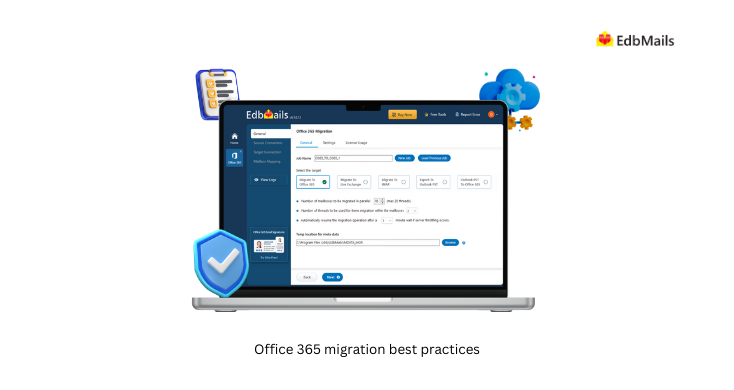
For organizations evaluating migration execution tools, see our Office 365 migration software page for supported migration scenarios and automation capabilities.
Key reasons why organizations migrate to Office 365
- Cost Savings: Migration to Office 365 helps companies save on its IT infrastructure costs such as hardware, software, and maintenance expenses. The reason behind this is due to Office 365 being hosted on a cloud platform where businesses only pay a monthly subscription fee per user, this monthly fee will include the software and all its updates.
- Scalability: Office 365 allows a business to scale their IT resources up or down as required. Because it is a cloud-based service, Office 365 is easy and quick to set up and add/remove users, storage etc.
- Productivity: The services contained within Office 365 include SharePoint, OneDrive, Microsoft Word, Microsoft Excel, Microsoft PowerPoint, and Microsoft Teams. The above could aid businesses improve their productivity and collaboration. The same documents can be worked on by users simultaneously using Office 365, and video conferencing and instant collaboration can be performed using Teams.
- Accessibility: The Office 365 allows users to access their files and programs from any location, on any device with an Internet connection. This makes for more of a mobile and flexible business.
- Security: Office 365 offers businesses enterprise-grade security, such as the data encryption, multi-factor authentication and advanced threat protection. This allows the businesses to prevent and protect data and networks from cyber-attacks and other security threats.
- Compliance:The Office 365 meets a variety of industry and regulatory standards such as GDPR, HIPAA, and ISO 27001. It would facilitate businesses in meeting and ensuring their data and systems are compliant with industry and legal standards. Learn more about the Office 365 platform service description.
Office 365 Pre-Migration Planning
Before beginning the actual migration process, you will need to have a clear vision of your existing IT infrastructure as well as the requirements of your business and users. This will help you determine if there will be any problems and if you have adequate tools and resources to tackle them. Critical pre-migration activities include:
- Assess your current environment: Make an inventory of the hardware, software and data assets that already exist. Note any dependencies, customisations, or integrations which could impact the migration. Please see Office 365 migration performance factors .
- Check the network and bandwidth requirements: These Office 365 network requirements are slightly different from your Exchange migration requirements. Because of this, you should think about your network needs and plan them out before you start. Check network and migration planning for Office 365.
- Understand Office 365 subscriptions:
Office 365 offers business plans and also plans for enterprise users. They should be compared before you determine an appropriate plan for your organisation. You can also test the license by taking a free trial that lasts for 30 days. See subscriptions, licenses and tenants.
- Identify your migration goals: State your migration goals, specifying the extent, schedule and cost involved. Data security, compliance and training of users could be some examples to be considered See Office 365 migration guide
- Choose the right migration method:
There are several migration methods available, and the choice depends on what suits you and your IT environment, including cutover migration, staged migration, and hybrid migration. Choose a method that best suits your needs and resources.
- Create a migration plan: A detailed Office 365 migration plan should include details of all the stages, time frames, and responsibilities for each stage of the migration process. The project needs to incorporate the relevant stakeholders and IT teams to form a coordinated effort.
Working from a step-by-step list? Our Office 365 migration checklist covers the same planning stages in a quick-reference format.
Office 365 Migration Execution
Now that you have a clear plan, the migration can be put into action. This consists of several steps, which will differ according to the method of migration chosen and the tools you have elected. However, here are some important steps of the implementation:
- Set up Office 365: You will first have to set up your Office 365 environment before undertaking the migration. It's all about setting up users accounts, configuring permissions, and the security features to go with, such as multi-factor authentication.
- Consider the Office 365 throttling: When attempting a bulk mailbox migration in limited time or performing multiple requests, Office 365 servers might throttle the server to make the bandwidth equally accessible to all for migration. When that happens, you may be subject to throttling and unable to migrate your data. It would be useful to take this point into consideration while performing the migration. See Microsoft 365 and Office 365 throttling.
- Migrate your data: Based on the way you migrate, you can migrate mailbox data through the EdbMails Office 365 migration tool. Be sure to test the migration process on a test environment prior to the actual migration.
- Verify the Office 365 migration: When the migration process has finished, it should be checked to see if all the data has been moved over and if users can log in and access their information. The number of folders and the mailboxes migrated can be checked through the log report generated by EdbMails.
- Configure and optimize the Office 365: Once migration is complete, configure and optimise your Office 365 environment to meet the needs of your business. This step is about configuring elements such as mobile device management, data loss prevention, configuring Outlook for your users, and adding MX records to the new Office 365 server for mail routing.
Post-Migration Support
Once the migration has been successfully completed, on-going support will be necessary. This section outline's how you will provide such support and keep your Office 365 environment safe and up to date. Here are some key post-migration support steps:
- Provide user training: Provide users with training on the proper use of Office 365 and tools, this will help increase user productivity. It also will decrease the potential for user error.
- Monitor and optimize performance: By monitoring and optimizing Office 365 performance and utilization you can rapidly diagnose issues and ensure that your environment for optimum productivity.
- Implement security measures: Execute the necessary security policies such as identity and access management, data security and compliance, that secure and conform Office 365 environment to the industry.
- Plan for future upgrades: Prepare for the future upgrade: Stay current with Office 365 updates and plan to ensure your environment remains up-to-date and secure.
Smooth migration to Office 365 with EdbMails migration service
Selecting the right migration platform is an important part of the migration strategy. Beyond mailbox transfer capabilities, administrators should evaluate whether the tool supports enterprise-level migration requirements such as coexistence, throttling control, incremental synchronisation, and workload consistency.
When assessing an Office 365 migration tool, consider the following technical capabilities:
- Incremental synchronisation: The solution should detect and migrate only newly created or modified items during subsequent migration passes, reducing duplicate transfers and bandwidth consumption.
- Automatic mailbox provisioning and mapping: Support for automatic mailbox mapping between source and target environments minimises administrative overhead and mapping errors.
- API throttling optimisation: EdbMails manage Exchange Online throttling policies to maintain stable migration without service interruptions.
- Advanced content filtering: Granular filtering by date range, folder hierarchy, message class, or item type helps optimise migration scope and reduce unnecessary data transfer.
- Full-fidelity item migration: The platform should preserve mailbox metadata, folder structures, read/unread states, permissions, calendar entries, contacts, and archive mailboxes.
- Detailed migration logs and audit reports: Comprehensive logging enables administrators to validate migrated data, identify failed items, and perform remediation efficiently.
- Secure authentication support: Modern authentication (OAuth 2.0), MFA compatibility, and secure API communication are critical for maintaining tenant security during migration.
Organizations requiring these capabilities can evaluate EdbMails Office 365 migration software as part of their migration execution planning.
Frequently Asked Questions (FAQ)
What are the Office 365 migration best practices?
Here’s a summary of the best practices for the Office 365 migration:
- Assess your current Environment.
- Backup your Office 365 data.
- Familiar with tenant requirements.
- Prepare your network for the migration.
- Define the migration targets and goals.
- Prepare your end-users for the migration.
- Select the best migration method.
- Test and monitor the migration.
- Verify the migrated data in the destination.
- Decommission legacy systems.
What are common Office 365 migration paths?
How to migrate from Hosted Exchange servers to Office 365?

