


Best Microsoft 365 Migration Tools in 2026: In-Depth Comparison
Office 365 migrations that go smoothly usually have two things in common: a solid plan and a tool that can handle the real-world complexity once the work is underway. Good planning gets you to the starting line; the right tool gets you across it cleanly.
We'll walk through where EdbMails Office 365 Migration Tool fits, including the scenarios where it genuinely wins and the ones where another tool is the right fit, along with what Microsoft's native tools actually give you, where CodeTwo and BitTitan MigrationWiz each earn their reputation, and where Quest On Demand Migration fits.
First, a Word About Microsoft's Native Migration Tools
Microsoft includes migration tooling in every Microsoft 365 subscription, so it is free and always on hand, and it can move mailboxes. The real question is not whether it works but what it costs you in time and risk, and that trade-off shows up even on a small, one-time cutover.
Even a small migration runs into the same friction. Anything past a standard mailbox batch tends to need PowerShell, and a routine job like a public folder move becomes a sequence of scripts, precise mailbox sizing, a batch sync, and a mandatory lockdown window where one wrong parameter can cost hours. There is no concurrent processing, so even a few dozen mailboxes take longer than they should; reporting is minimal, with errors buried in logs rather than a readable dashboard; and incremental sync runs only about once every 24 hours. It is all workable, but it is work a small team has to take on itself, and the gaps only widen as the migration grows.
That is exactly the friction EdbMails removes, at every scale. Whether the project is a handful of mailboxes or a multi-thousand-mailbox tenant-to-tenant consolidation, the same guided, GUI-based workflow handles it with no PowerShell required, public folders and archives treated like any other mailbox, concurrent processing of up to 20 mailboxes at a time, and a clear item-level report at the end. For a small organization it is simply the easier, safer way to get the migration done. For an IT team running a large enterprise project it is the operational control, incremental sync, and automatic throttling management that make the difference between a migration that runs cleanly overnight and one that demands constant administrator attention. Licensing is transparent and per mailbox, a free trial lets you run a test migration before committing, and the pricing is considerably lower than the enterprise platforms. That is why EdbMails is worth serious consideration regardless of how many mailboxes are on the list, even when the native tools are technically free.
Understanding the Third-Party Landscape
Once you move past native tools, you're looking at a market with several credible players, each with a genuinely different approach.
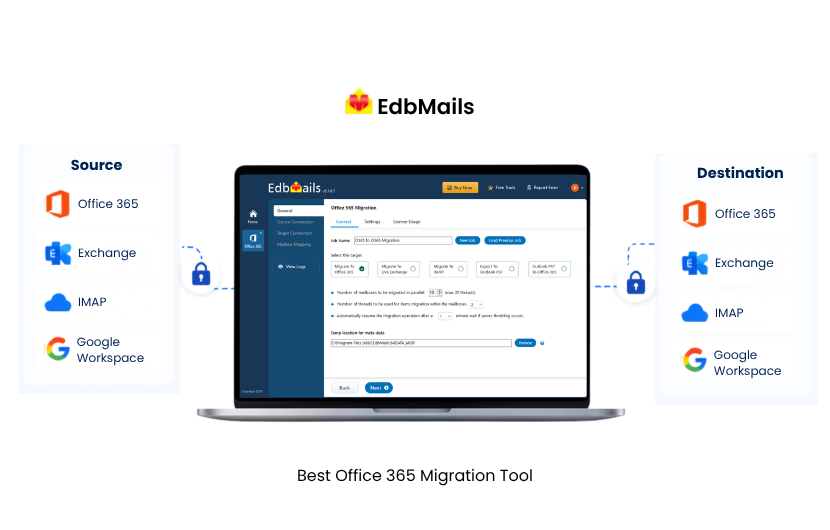
EdbMails Office 365 Migration is the tool this comparison centers on, and for most organizations it is also the one to beat. Native tools stop short once a migration gets complex, and the enterprise platforms carry more cost and configuration than a typical project needs; EdbMails sits between the two, a desktop-based, GUI-driven tool with no PowerShell requirement that scales from a single personal mailbox to a large tenant-to-tenant consolidation without ever making you switch products. It suits individual users, small businesses, IT administrators, MSPs, and regulated enterprises alike, and does so at a lower cost than most of the competitors below while giving you more direct control over the migration. That combination of range, control, and price is why it belongs at the front of any shortlist, and why each tool that follows is measured against it. Exactly how it delivers, its direct migration architecture, filtering depth, incremental sync, and throttling handling, is covered in the dedicated section further down.
CodeTwo Office 365 Migration has built a strong reputation over many years, particularly in European markets. It's widely deployed, and the product of a company that clearly understands the migration space. The GUI is clean and the core workflow (connect source, map mailboxes, run migration, review results) is logical and well-executed. CodeTwo's strength is the polished, established mailbox migration: a mature GUI and a long track record, particularly in Europe. EdbMails matches it on workflow and ease of use, then reaches further, with keyword, sender, recipient, and attachment-size filtering, a per-mailbox license that never expires or carries domain restrictions, and typically a lower cost. For a straightforward move either tool serves; for anything with tighter filtering or licensing demands, EdbMails covers more of the field.
BitTitan MigrationWiz took a different architectural approach. It's entirely cloud-based, which means there's nothing to install and migrations can be managed from any browser. For Managed Service Providers running dozens of concurrent projects across multiple clients, that model has real operational advantages. You can spin up a new migration project, add users, and kick it off without touching a local machine. The trade-off is that your mailbox data passes through BitTitan's cloud infrastructure during the migration, which creates data sovereignty considerations that some organizations can't ignore. That browser-managed MSP workflow is genuinely BitTitan's to own. Everywhere else, the cloud data path is the catch: EdbMails keeps the migration local through Microsoft's APIs so data never touches a third-party cloud, and it handles the same mailbox, archive, and tenant-to-tenant scenarios, which is what makes it the broader-fit choice for organizations outside that niche, especially under healthcare, financial, legal, or government data rules.
Quest On Demand Migration is in a different category entirely. It's an enterprise platform built for large-scale, complex migrations, the kind that involve Active Directory restructuring, intricate permission mapping, and mailbox counts in the tens or hundreds of thousands. Quest is genuinely powerful, but it's also genuinely complex. It typically requires experienced consultants to configure correctly, and its pricing reflects the enterprise segment it's designed for. For most mid-market organizations, it's more of a tool than the migration actually needs. When a migration truly is that big, Quest is the right platform for the job. That describes a small share of real projects. For the vast majority that fall short of that scale, EdbMails covers the same everyday scenarios, Exchange to Microsoft 365, tenant-to-tenant consolidations, public folders, and archive mailboxes, without the configuration complexity, steep learning curve, or enterprise price tag. Quest owns the enterprise extreme; EdbMails owns the broad middle where most migrations actually live.
ShareGate Migrate has expanded from a SharePoint and content migration tool into a full Microsoft 365 tenant-to-tenant platform, now including Entra ID identity migration alongside Exchange Online mailboxes, SharePoint, OneDrive, and Teams. Its Migrate Pro and Enterprise plans let a team plan and run an entire tenant move, identity first, then mailboxes, then content, inside one product. This identity-first sequencing is a genuine differentiator for complex tenant consolidations and mergers where user and group mapping needs to be resolved before mailbox and content migration begins. Where a consolidation genuinely needs identity migrated in the same pass, ShareGate's identity-first sequencing is the differentiator and the tool to reach for. For the far more common case, mailbox migration without a parallel identity project, EdbMails is the more focused, lower-cost path to the same mailbox outcome, without paying for identity features you won't use. ShareGate owns identity-led tenant moves; EdbMails owns the mailbox-led ones.
Apps4.Pro Migration Manager targets organizations that need to move more than mail and files. Beyond the standard Exchange, SharePoint, OneDrive, and Teams workloads, it also migrates Planner, Viva Engage, Microsoft Forms, Power BI, Power Automate, and Bookings, covering more than ten Microsoft 365 workloads from a single tool. Teams chat migration is handled through Microsoft Graph APIs rather than exported as static files, so conversations land natively in the destination tenant. This breadth makes Apps4.Pro a strong fit for organizations consolidating a wide Microsoft 365 footprint, particularly Power Platform and Viva workloads that EdbMails does not migrate. For migrations centered on mailboxes, shared mailboxes, archives, and public folders, EdbMails covers that specific scope with more granular filtering options.
Cloudiway is a browser-based SaaS platform built around tenant-to-tenant migration plus enterprise coexistence, including GALSync directory synchronization, free/busy lookups across tenants, and mail routing that lets users keep working in either tenant during a staged migration. It covers Exchange, OneDrive, SharePoint, Teams, and, unlike most competitors in this comparison, Intune device settings. Coexistence tooling of this depth matters most in mergers and acquisitions where two organizations need to operate side by side for weeks or months before a full cutover. Migrations that don't require that kind of extended coexistence period, most single-event tenant-to-tenant or Exchange-to-Microsoft 365 moves, don't need this level of platform complexity, which is where EdbMails fits instead, with a more direct, desktop-based approach and no third-party cloud in the data path. Cloudiway owns extended coexistence; EdbMails owns the clean single-event move.
CloudFuze positions itself as a managed migration service rather than a self-service tool. Every project includes a dedicated migration manager and engineering team, and the platform supports migration from more than 40 source cloud platforms into Microsoft 365, not just Exchange or Microsoft 365 to Microsoft 365 moves. This white-glove model suits large enterprises that want a vendor team handling execution end-to-end, particularly for complex or very large-scale migrations. If you want a vendor team to run the whole thing end-to-end, or you are migrating from one of the 40-plus non-Microsoft source platforms it supports, CloudFuze's managed model is the right call. Organizations that would rather run their own migration on a self-service desktop tool get that direct, self-managed control from EdbMails, at a lower cost. CloudFuze owns the fully managed project; EdbMails owns the self-run one.
Line them up and the pattern is clear. Each of these tools is strong inside its own lane: BitTitan for browser-managed MSP work, Quest for enterprise-scale complexity, ShareGate for identity-led tenant moves, Apps4.Pro for wide workload coverage, Cloudiway for extended coexistence, and CloudFuze for fully managed projects. EdbMails is the one tool that covers the whole common field, mailbox, archive, public folder, and tenant-to-tenant migration, with a direct architecture, deeper filtering, and a lower cost, which is why it is the best overall choice for the migrations most organizations actually run.
9 Tools at a Glance
| Tool | Best For | Deployment | Major Strength | Primary Consideration |
| EdbMails | Complete Microsoft 365 (Office 365) migration, all business sizes including enterprise | Desktop, direct | Control, price, advanced filtering | Desktop install required |
| Microsoft Native | Simple, small-scale migrations | Microsoft cloud, admin center and PowerShell | No third-party product, included in subscription | Complex scenarios often need multiple workload-specific tools and prerequisites |
| CodeTwo | Exchange and mailbox migration | Desktop | Mature, focused GUI | Filtering limited to date range and folder type |
| MigrationWiz | MSPs managing multiple client projects | Browser-based SaaS | Multi-client cloud workflow, dedicated project types for archive and public folder | Data passes through BitTitan's cloud infrastructure during migration |
| Quest On Demand Migration | Large, complex enterprise migration | SaaS | Identity, coexistence, and complexity handling at scale | Enterprise-level complexity and cost, typically needs consultants |
| ShareGate | Identity plus mailbox plus content tenant migration | Desktop app (Migrate Pro/Enterprise) | Entra ID identity migration built into the same tool as mailbox and content | Entra ID, Exchange Online, and Google Workspace migration require Pro or Enterprise plans |
| Apps4.Pro | Broad Microsoft 365 workload migration | Application | Covers 10+ workloads including Planner, Viva Engage, Power BI, Power Automate | Broader workload coverage than most organizations need for a mailbox-only migration |
| Cloudiway | Enterprise coexistence during extended migrations | Browser-based SaaS | GALSync, free/busy, and mail routing coexistence tools | SaaS architecture means data passes through Cloudiway's platform during migration |
| CloudFuze | Fully managed enterprise migration | SaaS with managed service | Dedicated migration manager and engineering team per project | Managed service model, less suited to organizations that want to self-run the migration |
The table above gives a quick orientation. The comparison below goes deeper, feature by feature, so you can see exactly where each tool leads, matches, or falls short.
Feature-by-Feature Comparison
| Feature | EdbMails | Microsoft Native Tools | CodeTwo | BitTitan MigrationWiz |
| GUI-based, no PowerShell required | Yes | No | Yes | Yes |
| Tenant-to-tenant migration | Yes | Limited | Yes | Yes |
| Exchange on-premises to Office 365 | Yes | Yes | Yes | Yes |
| IMAP / hosted Exchange migration | Yes | Yes | Yes | Yes |
| Public folder migration | Yes | Complex, script-heavy | Yes | Supported (dedicated Public Folder project type) |
| Archive mailbox migration | Yes | No | Yes | Supported (dedicated Personal Archive project type) |
| Shared mailbox migration | Yes | Manual steps | Yes | Yes |
| Incremental / delta migration | Yes | Yes, limited (roughly 24-hour sync interval) | Yes | Yes |
| Concurrent mailbox migration (up to 20) | Yes | No | Yes | Yes |
| Automatic mailbox mapping | Yes | No | Yes | Yes |
| Auto mailbox creation and license assignment | Yes | No | Yes | Partial |
| Advanced date and folder filters | Yes | No | Yes | Yes |
| Keyword, sender, and recipient filtering | Yes | No | No | Limited |
| Real-time migration statistics | Yes | No | Yes | Yes |
| Detailed migration reports | Yes | No | Yes | Yes |
| Throttling management and auto-retry | Yes | No | Yes | Yes |
| Pause and resume migration | Yes | Limited | Yes | Partial |
| Migration scheduler | Yes | Limited (batch start/completion scheduling only) | Yes | Yes |
| OAuth 2.0 / modern authentication | Yes | Yes | Yes | Yes |
| AES 256-bit encryption | Yes | Yes | Yes | Yes |
| No intermediate cloud storage | Yes | Yes | Yes | Cloud-based |
| CSV-based custom mailbox mapping | Yes | No | Limited | Yes |
| Free 24/7 technical support | Yes | No | Yes | Paid tiers |
| Pricing vs. alternatives | Significantly lower | Free (subscription included) | Higher | Higher |
Which Tool Fits Your Project?
EdbMails covers the majority of common migration scenarios directly. The table below shows where it fits best, and where a different tool may be worth considering.
| Requirement | Best-Fit Tool(s) |
| Cost-effective Microsoft 365 (Office 365) Migration | EdbMails |
| Direct migration architecture with no third-party cloud in the data path | EdbMails |
| Granular filtering (keyword, sender, recipient, attachment size) | EdbMails |
| Tenant-to-tenant consolidation for mergers and acquisitions | EdbMails |
| Regulated industries requiring direct data movement (healthcare, finance, legal) | EdbMails |
| Cloud-based migration management for MSPs managing many clients from a browser | BitTitan MigrationWiz |
| Complex enterprise tenant consolidation with Active Directory restructuring | Quest On Demand Migration |
| Simple, single-organization cutover with a PowerShell-comfortable team | Microsoft native tools |
EdbMails vs CodeTwo: The Honest Difference
The filtering and workflow comparison is covered above. Where the difference becomes most tangible is in licensing cost and flexibility, particularly for consultants and MSPs running multiple projects.
EdbMails uses a per-mailbox licensing model. Each new source email address migrated consumes one license, but that same source address can be migrated again any number of times in the future at no additional cost. Licenses have no domain restriction and no client count limit, so unused licenses from a bulk purchase can be applied to any future project. For consultants and MSPs running multiple projects, buying licenses in bulk typically produces greater savings than purchasing per project, though the exact difference depends on project volume and each vendor's current rate. See the Office 365 migration best practices page for guidance on planning migrations where filtering decisions matter most.
EdbMails vs BitTitan MigrationWiz: Two Different Philosophies
The landscape section above flagged the cloud data path as BitTitan's key trade-off. Here is what that means in practice and where it becomes a hard constraint.
That constraint alone rules BitTitan out for some organizations and is a non-issue for others, so it comes down to your own data policy. Past that question, the two tools also diverge on scope and cost.
On scope, EdbMails also supports archive mailbox migration more comprehensively than MigrationWiz, and its filtering depth is greater. Archive mailboxes and public folders are each handled through their own dedicated project type in MigrationWiz, with licensing and setup that differ from a standard mailbox migration project. EdbMails takes a simpler approach to licensing here: if a mailbox already has a license, migrating its archive doesn't require an additional one, the same primary mailbox license covers both. Public folder migration works similarly in EdbMails' favor, a one-time consumption of 50 mailbox licenses covers unlimited public folder migration within the same domain, rather than licensing each folder or mailbox separately. The pricing model, pay per mailbox, licenses don't expire, no client or domain restrictions, tends to be more favorable across the board, from a single small business handling its own migration to an MSP running varied projects across client environments to an enterprise IT team managing a large one-time consolidation.
EdbMails vs Quest: Knowing What You Actually Need
Quest On Demand Migration is a serious tool for serious enterprise migrations. If your project involves Active Directory restructuring, thousands of mailboxes, complex nested permissions, and a team of dedicated migration specialists managing the project, Quest is worth evaluating.
For everyone else, and that includes most mid-market companies, growing businesses, and organizations going through their first major tenant consolidation, Quest is simply more platform than the migration requires. The configuration complexity is real, the learning curve is steep, and the price point assumes a procurement budget and IT staff that most organizations don't have sitting idle.
EdbMails handles the scenarios that the overwhelming majority of organizations actually face, including Exchange to Office 365, tenant-to-tenant consolidations, public folder migrations, and archive mailbox migrations, without the overhead, the learning curve, or the enterprise price tag.
Migration Scenarios EdbMails Covers
Office 365 Tenant to Tenant: The scenario that's become increasingly common as companies merge, restructure, or consolidate IT environments. EdbMails handles the full workflow, including auto-mapping source to destination mailboxes, provisioning new mailboxes on the destination tenant, assigning licenses, and running continuous delta syncs right up to the cutover moment.
Exchange On-Premises to Office 365: Whether you're running Exchange 2003 or Exchange 2019, EdbMails migrates mailboxes, shared mailboxes, public folders, and archive mailboxes with complete folder structure, metadata, and attachment preservation. The incremental sync keeps source and destination aligned through the cutover window, so the final switch happens cleanly.
Hosted Exchange to Office 365: Providers like Rackspace, GoDaddy, and Intermedia typically offer limited administrative access, which makes native migration tools difficult to use. EdbMails works within those constraints and migrates mailbox data cleanly to Microsoft 365.
IMAP Servers to Office 365: Standard IMAP migration with full folder structure preservation and email attribute retention. Works with any IMAP-compliant mail server.
Google Workspace to Office 365: Migrates email, calendar data, and contacts from Google Workspace to Microsoft 365 via IMAP, preserving folder organization and item metadata throughout.
SBS 2011 to Office 365: For organizations still running Windows Small Business Server 2011, a platform that has been out of support for years, EdbMails provides a clean migration path to a modern Microsoft 365 environment without requiring an intermediate server upgrade.
Who This Tool Is Actually For
The honest answer is that EdbMails was designed to serve a wide range, and it does, but it does so differently depending on who's using it.
Individual users who need to move a personal mailbox, whether consolidating accounts, recovering email history from a previous employer's tenant with proper authorization, or simply switching Microsoft 365 subscriptions, can run a migration without any IT department involvement. The interface is clear enough that someone who has never run a migration before can follow it through without getting lost. Start a free trial here and see for yourself before committing to anything.
Small business owners handling their own IT are often in a position where they need something that just works without requiring them to become a migration expert first. EdbMails' step-by-step workflow and guided configuration mean you don't need a background in Exchange administration to get a migration done correctly. The Office 365 migration checklist is a good starting point for planning the project before you begin.
IT administrators running organization-wide migrations are where EdbMails really earns its keep. The scheduling, concurrent processing, incremental sync, and detailed reporting give you the kind of operational control that makes a large migration manageable rather than terrifying. You can set the migration to run overnight, come back to a completed report, and deal with any exceptions before users arrive in the morning.
Enterprise IT teams handling large-scale tenant consolidations with hundreds or thousands of mailboxes benefit from concurrent processing up to 20 simultaneous mailboxes, automatic throttling management, and the ability to run repeat incremental syncs without accumulating duplicates. The migration can be structured as a project with defined batches, scheduled windows, and checkpoint validations along the way.
MSPs and IT consultants get a particularly favorable deal from the pricing model. Per-mailbox licensing, no domain or client count restrictions, and no license expiration means a single investment covers an indefinite number of repeat migrations for the same mailboxes. If you're running ten client migrations a year, the math works out considerably better than per-seat subscription tools. The Office 365 migration best practices guide is worth bookmarking for client projects.
Organizations in regulated industries, including healthcare providers working under HIPAA, financial firms under SOX or FINRA, legal organizations with client confidentiality obligations, and government agencies with data sovereignty requirements, need the direct migration architecture that EdbMails provides. When data can't pass through a third-party cloud under any circumstances, the tool choice is essentially made for you.
Organizations going through mergers or acquisitions are often working under time pressure, with IT teams from two different organizations trying to coordinate a tenant-to-tenant migration while the business integration is happening around them. EdbMails' auto-mapping, auto-provisioning, and continuous delta sync reduce the manual coordination burden significantly. Fewer things that need to be done by hand means fewer things that can go wrong under pressure.
Before the Migration Starts: What to Get Right
The comparison between tools matters, but so does what happens before you run a single migration job. A well-chosen tool running against a poorly prepared environment will still produce problems.
Work through the Office 365 migration checklist before you begin. It covers the pre-migration validations that catch most of the issues that cause mid-migration surprises. Review the Office 365 migration best practices for guidance on cutover window planning, user communication, and how to structure batch migrations for large environments.
Don't leave DNS planning until after the migration is done. DNS changes after Office 365 migration, including MX records, SPF, DKIM, DMARC, and Autodiscover, need to be planned in advance and updated at the right moment in the cutover sequence. Getting this wrong is the most common reason users experience mail flow interruption even after a technically successful migration.
Once the migration runs, know how to validate that it succeeded before you decommission the source environment. Counting mailboxes isn't enough. Item counts, folder structures, calendar entries, and contacts all need verification before you can confidently shut down the source.
Conclusion
Every tool in this comparison has legitimate use cases. Microsoft's native tools work for simple scenarios if you're comfortable with PowerShell and the migration is small. CodeTwo is a solid third-party option with a strong track record. BitTitan MigrationWiz is well-suited for MSPs who need cloud-based management across multiple clients. Quest is the right call for genuine enterprise complexity at scale..
EdbMails wins in the space that most organizations actually occupy: migrations that are too complex for native tools, but don't need the overhead of an enterprise platform. It handles every significant migration scenario, runs entirely without PowerShell, migrates data directly without any third-party cloud in the path, and costs significantly less than the alternatives while offering more granular control than most of them.
If you're evaluating it, the most useful thing you can do is run a test migration. The free trial requires no credit card and no commitment. Just download, connect, and move a few mailboxes to see how the tool actually behaves before deciding.
Try EdbMails free see how it handles your environment before you commit
Frequently Asked Questions
What is the best Microsoft 365 (Office 365) Migration Tool?
EdbMails is one of the best Microsoft 365 (Office 365) migration tools for organizations that need reliable mailbox and tenant-to-tenant migration without the complexity of enterprise platforms or the limitations of Microsoft's native tools. It offers a GUI-based interface with no PowerShell requirement, incremental migration that keeps source and destination aligned right up to cutover, automatic mailbox mapping and provisioning, and advanced filtering by keyword, sender, recipient, and attachment size. The migration runs directly between source and destination tenants using Microsoft's own APIs, so no third-party cloud sits in the path of your data. This makes it a strong fit for IT administrators, MSPs, and organizations in regulated industries that need direct control over the migration process.
EdbMails vs CodeTwo, which is better?
EdbMails vs MigrationWiz, which should I choose?
Additional resources:


