


Migrate between Office 365 Tenants with EdbMails
Office 365 to Office 365 migration moves mailbox data from one tenant to another, often across providers and across domains. With the right tool, the process stays straightforward and can be handled in-house using the EdbMails Microsoft 365 email migration tool.
Enterprises and smaller businesses across the globe rely on EdbMails to migrate well over thousands of mailboxes. The application has been built from the ground up for high performance, data integrity, smooth fit with varied system setups, hands-on migration management, and a workflow that doesn't get in your way.
Office 365 migration isn't a single step — there's planning, prep, and then the actual move of Office 365 mailboxes, SharePoint sites, OneDrive documents, Office 365 teams, groups, and so on. The EdbMails Office 365 migration tool is secure, easy to work with, and dependable. No PowerShell scripting is needed to carry out the migration.
EdbMails: Professional software to migrate between Office 365 tenants
- Migrating mailboxes during company mergers and acquisitions
- Moving Office 365 mailboxes from one tenant to another
- Shifting between different Office 365 providers — for instance, transferring GoDaddy email to Office 365 or Rackspace migration to Office 365
- Changing the geolocation of your Office 365 server to cut down email latency.
- Office 365 tenant migration with same domain
Supported Office 365 migration scenarios with EdbMails
- Office 365 to Office 365 Migration
- Office 365 Public folder to Office 365 Migration
- Office 365 Public folder to Office 365 Public folder Migration
- Office 365 to Exchange Migration
- Office 365 Groups migration
- Office 365 Public folder to Exchange Migration
- Office 365 Archive Mailbox to Office 365 Migration
Steps to migrate between Office 365 tenants
- Step 1: Install the EdbMails Office 365 migration utility
- Step 2: Connect to the source Office 365 server
- Step 3: Pick the mailboxes and folders you want to move
- Step 4: Connect to the target Office 365 server
- Step 5: Begin the Microsoft 365 tenant-to-tenant migration. Done! For a full walkthrough, see our step-by-step guide on Office 365 tenant-to-tenant migration
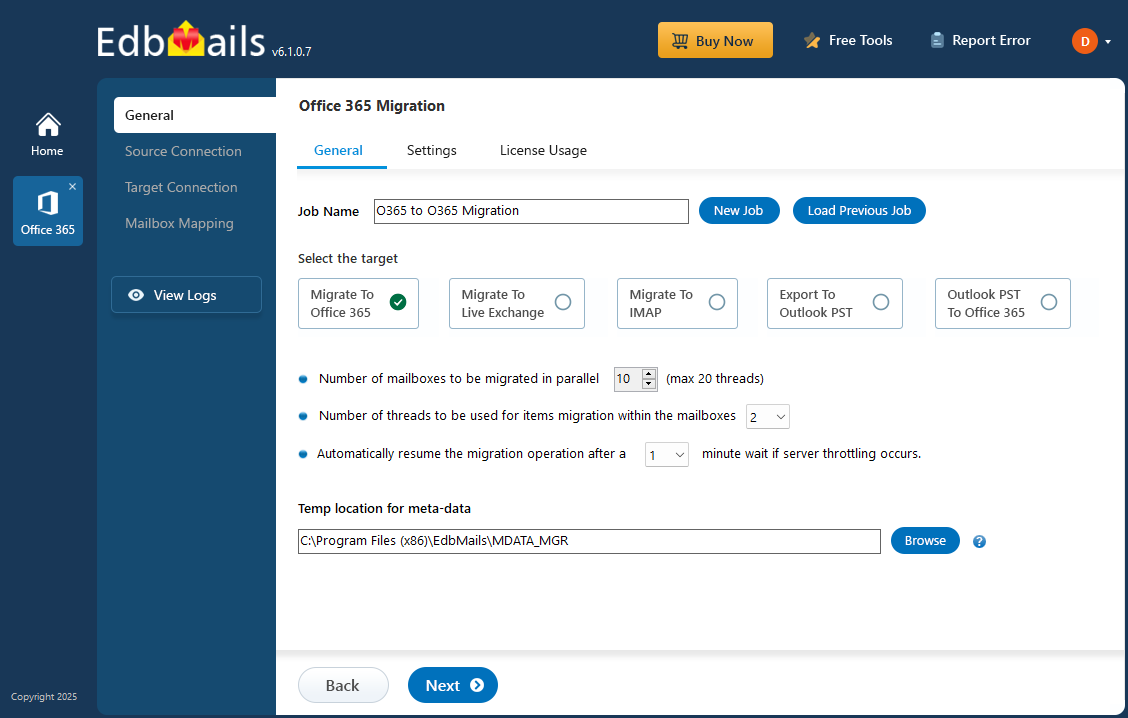
Features and Advantages of EdbMails for Office 365 tenant-to-tenant migration
- Fast mailbox transfer between Office 365 tenants
- No cap on public folder migration from one Office 365 tenant to another
- Delta-based migration keeps the target Office 365 tenant free of duplicates
- Migrate emails, calendars, mailboxes, and folder permissions across Office 365 tenants without distortion
- Mailbox tree-view preview that lays out every folder and subfolder with item counts attached
- Support for setting automatic impersonation rights to both source as well as target tenants
- Automatic mailbox mapping between the source Office 365 and the target Office 365 tenant
- Automatic creation of mailboxes on the target Office 365 server More Features
- Free trial version to test every feature, plus free 24x7 technical support for any Office 365 migration assistance you need.

